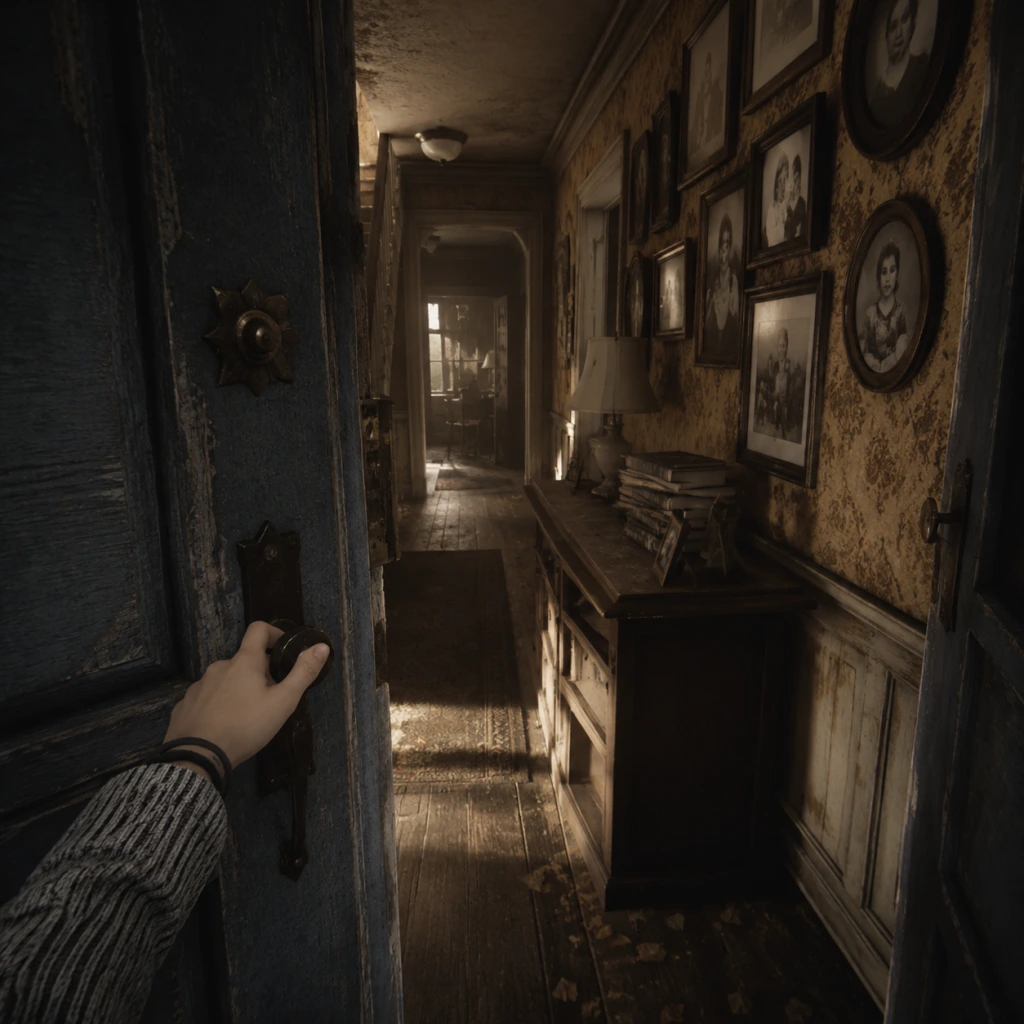
Getting Started
Overview
"What Remains of Edith Finch" is a first-person narrative exploration game with no combat, no character creation, no inventory management, and no fail states. The entire experience is focused on story, atmosphere, and environmental storytelling. You play as Edith Finch, the last surviving member of a family cursed by a strange fate. Over the course of about two hours, you explore the Finch family home and relive the final moments of each family member through fantastical vignettes.
Controls (All Platforms)
The game uses simple movement and interaction. Below is the control mapping for each platform:
PC (Keyboard + Mouse)
- Move: W/A/S/D
- Look: Mouse movement
- Interact: E
- Crouch/Toggle slow walk: Left Ctrl (hold)
- Skip forward in dialogue: Spacebar (only after finishing reading)
- Pause: Esc
- Move: Left stick
- Look: Right stick
- Interact: R2 (or Square for some prompts)
- Crouch/Slow walk: L2 (hold)
- Skip dialogue: R1 (after text fully displayed)
- Pause: Options button
- Move: Left stick
- Look: Right stick
- Interact: RT (or X for some prompts)
- Crouch/Slow walk: LT (hold)
- Skip dialogue: RB (after text fully displayed)
- Pause: Menu button
- Move: Left stick
- Look: Right stick
- Interact: ZR (or Y for some prompts)
- Crouch/Slow walk: ZL (hold)
- Skip dialogue: R (after text fully displayed)
- Pause: + button
- Crosshair (center of screen): A small dot indicates where you are looking. Move it over interactable objects to highlight them.
- Interaction prompt (near crosshair): When near an actionable object a contextual word or icon appears (e.g., "Open," "Read," "Turn," a magnifying glass for closer inspection).
- Text box (bottom or mid-screen): Dialogue and narration appear as subtitles. On PC these appear at the bottom; on consoles they are often overlaid on the screen. Always wait for the text to finish before moving on.
- Skip prompt: After narration text is fully displayed, you may see a small icon or button label to skip to the next line. Skipping is optional but safe.
- Pause menu: Press the designated pause button to bring up a menu with "Continue," "Load Chapter," and "Settings" (audio, video, controls). There is no save game menu; the game autosaves very frequently (usually at the start of each vignette or after major events).
- Explore thoroughly. Every room has objects you can read, pick up, or examine. These add depth to the narrative and often unlock optional journal entries that provide backstory.
- Move slowly. The game is meant to be savored. Crouch-walking is available (hold the designated button) to move at a slower pace and appreciate the environment.
- Read all text. When you find notes, books, or diary pages, take the time to read them. They contain clues about the family curse and the characters' personalities.
- Listen to narration. Edith’s voice-over will continue as you explore. Do not skip lines until you are ready to move on.
- Interact with everything that glows or has a prompt. Most interactive objects are highlighted by a soft light or have a small shiny effect. If you see a book, a photograph, a toy, or a piece of furniture with a text cue, go to it and press interact.
- Rushing through rooms. If you sprint (hold shift on PC / move stick fully on console) you might miss subtle triggers or audio cues. Walk normally or crouch-walk in key areas.
- Skipping dialogue or cutscenes. The story is the core of the game. Skipping will break the emotional flow and cause you to miss important context.
- Assuming you can go everywhere immediately. Some doors are locked until later. The game is linear; you progress by following the main path (usually moving upward through the house).
- Trying to “fail” or die. The vignettes are scripted experiences; you cannot die or get a game over. Even in sequences that feel dangerous, you are safe. Relax and enjoy the ride.
- Ignoring optional interactions. While the main story progresses linearly, optional readings and interactions enrich the experience and sometimes change the tone of a vignette. Don't skip them.
- Patience: Let the game unfold at its own pace.
- Curiosity: Investigate every interactive object.
- Observation: Pay attention to environmental details – photographs, decorations, stains, personal items – they tell a silent story.
- [ ] Set aside uninterrupted time (approx. 2 hours). The game is best played in one sitting. If you must pause, the autosave will resume at the start of the current vignette or chapter.
- [ ] Adjust audio settings. Play with headphones or in a quiet room. The sound design is critical for immersion. In Settings > Audio, keep music and SFX at default; ensure voice volume is high.
- [ ] Adjust graphics (PC only). Set resolution to your monitor’s native, enable V-Sync if you experience screen tearing, and set texture quality to high if your GPU permits (the game is not demanding).
- [ ] Familiarize yourself with controls (see table above). Practice moving and interacting in the opening hallway.
- [ ] Play the prologue and enter the house. This takes about 5 minutes.
- [ ] Complete the handprint family tree interaction.
- [ ] Read the letter from Dawn.
- [ ] Enter Molly’s room and finish her vignette. This is the first major story section (approx. 20-25 minutes).
- [ ] After Molly’s story, return to the main house and explore the ground floor briefly – you will find additional journal entries and context. Then proceed upstairs following the story prompts.
- [ ] Save and quit only at natural breaks. The game indicates chapter transitions with a black screen and a title card. That is a safe stopping point.
- The game is a walking simulator in the best sense. There are no puzzles to solve, no enemies to fight, no time limits (except within a few scripted sequences where you need to follow a character or escape quickly – but these are forgiving).
- If you feel stuck, try looking around for a glowing object or a door you haven't opened. The story will always pull you forward.
- The narrative deals with heavy themes (death, grief, family trauma). It is emotionally intense but ultimately beautiful.
- After finishing the main story, you can reload individual chapters from the main menu to re-experience favorite vignettes or find missed interactions. There is no New Game Plus.
PlayStation 4 / PlayStation 5
Xbox One / Xbox Series X|S
Nintendo Switch
> Tip: On all platforms, you can look around freely. Some interactions require pressing a button only when the on-screen prompt appears. If you see a glowing object with a text hint, walk close to it and press the interact button.
UI Overview
The HUD (heads-up display) is intentionally minimal. During gameplay you will see:
Essential Early Objectives (First 15 Minutes)
1. Start the game – After the title screen, select "New Game." The game begins with a brief prologue: a young Edith writing in her journal while on a ferry. You don't control anything during this cutscene.
2. Enter the Finch house – You gain control after the ferry scene, standing on the front porch. Your first objective is to walk toward the front door. Look for a glowing handle and press the interact button to open it.
3. Move through the hallway – The front door opens into a dimly lit foyer. Walk straight ahead, passing through an archway. Follow the linear path until you reach a room with a large tree trunk growing through the floor. This is the central staircase area.
4. Discover the family tree – A handprint icon on a wall will prompt you to place your hand on it. Doing so triggers a scene showing the Finch family tree, with names and dates. This is your first major story beat.
5. Ascend the stairs – After the handprint scene, a nearby staircase becomes accessible. Walk up the creaky stairs. You will soon hear a voice (Dawn, your mother) calling you. Follow the voice to a bedroom door. Interact with the door.
6. Read the letter – Inside the bedroom you find a letter from your mother explaining the house and the family history. Read it fully (the text will scroll automatically). This sets up the main quest: to explore each relative's sealed room and uncover their story.
7. First vignette (Molly's story) – After reading the letter, exit the bedroom and walk to the room directly across the hall (marked with a child's drawing on the door). Interact with the door. The game transitions to Edith as a child, and you enter the first major story vignette: Molly's final night. From here, follow the prompts and interact with objects as they appear.
What to Do First
What to Avoid
Early Resource Priorities
There are no resources to manage in "What Remains of Edith Finch." No health, no ammunition, no crafting materials, no currency. Your only “resource” is your attention and time. Prioritize:
Common Beginner Mistakes
1. Not interacting with objects right away. Some players walk past an object without pressing the interact button because they assume it is just scenery. When you see a prompt, always try pressing the button.
2. Moving the camera erratically during vignettes. In some first-person sequences (e.g., Molly’s transformation), you must look in the direction the game points. Fighting the camera will disorient you; relax and let the game guide you.
3. Missing the handprint trigger. The handprint on the wall in the central stairwell is the only way to unlock the family tree scene. If you do not place your hand on it, you may be confused about the family structure. The handprint glows slightly – look for it near the base of the tree.
4. Confusing the vignette controls. During a vignette, the control scheme might temporarily change (e.g., you might need to move the mouse or stick to control an animal or character). Read on-screen prompts carefully; they are always shown before new actions.
5. Trying to backtrack prematurely. The house changes as you progress. If a door slams shut or a path disappears, do not panic – the game is directing you forward. You cannot get lost.
6. Skipping the credits. After the final scene, the credits roll. They contain additional narration and a final emotional punch. Do not skip them.
Day-One Checklist
Use this checklist to ensure you have a smooth first session:
Final Tips for New Players
Enjoy your journey through the Finch house. Every room holds a memory.