Game Settings
Introduction
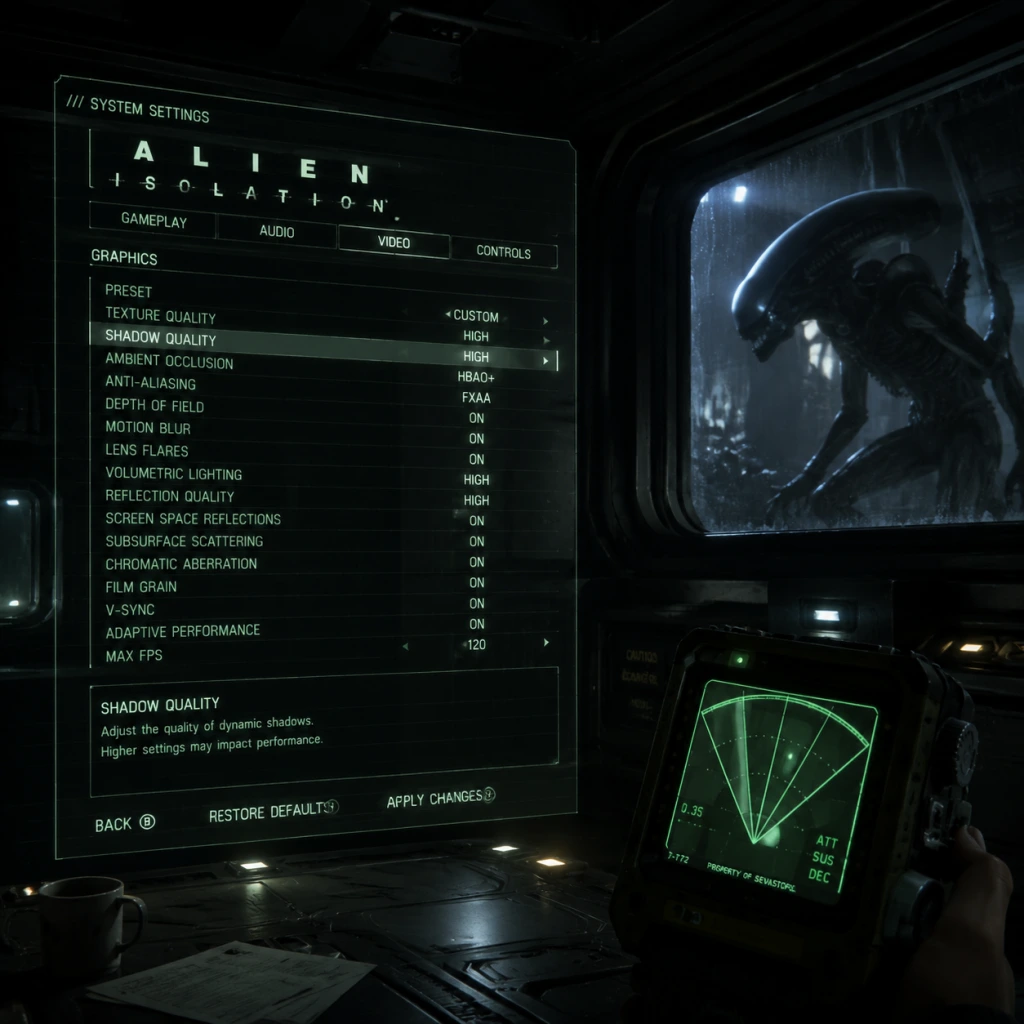
Optimizing your settings in Alien: Isolation is crucial for both performance and immersion. The game's dark corridors, dynamic lighting, and tense audio require careful balancing to avoid visual artifacts, stuttering, or audio imbalances. This guide covers every setting category and provides recommended configurations for low-end, mid-range, and high-end hardware, along with pitfalls to avoid.
Graphics Settings
Display Configuration
- Fullscreen Mode: Use Exclusive Fullscreen for best performance on PC. Borderless Windowed may cause input lag.
- Resolution: Match your monitor's native resolution. Lower only if performance is inadequate.
- Refresh Rate: Set to your monitor's maximum supported (e.g., 60Hz, 144Hz). Ensure V-Sync is off if using G-Sync/Freesync.
- V-Sync: Disable unless you experience screen tearing. On 60Hz displays it can add input lag. The game's V-Sync is frame-pacing unfriendly; consider using a custom cap via GPU driver or RivaTuner.
- Overall Quality: Choose "Custom" to fine-tune. Presets are safe but not optimized.
Quality Presets
Advanced Graphics Options
| Setting | Low-End (GTX 960 / RX 560) | Mid-Range (GTX 1060 / RX 580) | High-End (RTX 2060 / RX 5700 XT) | Notes |
|---|---|---|---|---|
| Ambient Occlusion | Off | SSAO (Low) | HBAO+ | HBAO+ is heavy; SSAO is a good middle ground. |
| Anti-Aliasing | SMAA (Low) | SMAA (Medium) | TXAA (4x) | TXAA can blur; SMAA is sharper but less effective on edges. |
| Depth of Field | Off | On | On | Can hide pop-in but may reduce visibility. |
| Lens Flares | Off | Off | On | Minimal performance impact; purely aesthetic. |
| Motion Blur | Off | Off | Low | Off for cleanliness; motion blur can cause disorientation. |
| Quality (Texture) | Low | Medium | Ultra | VRAM is key; on 2GB VRAM cards keep Medium. |
| Quality (Shadow) | Low | Medium | Ultra | Shadows cost performance; high resolution shadows hurt FPS. |
| Quality (Reflection) | Low | Medium | Ultra | Water and polished surfaces; Ultra is heavy. |
| Quality (Volumetric Lighting) | Low | Medium | Ultra | Atmosphere enhancer; big FPS hit on Ultra. |
| SSAO | Off | On | On | Part of Ambient Occlusion but separate toggle. |
| Vsyncc | Off | Off | Off | Use external frame limiter if needed. |
| Field of View (FOV) | 60-70 | 70-80 | 80-90 | Wider FOV reduces tunnel vision but may distort edges. Default 60 is narrow. |
- Anti-Aliasing: TXAA at 4x can make the game look blurry on lower resolution monitors. Use SMAA 2x or off with a high resolution.
- Depth of Field: When aiming down sights, DoF blurs distant objects; some players prefer it off for clarity.
- Motion Blur: Disable immediately; it hampers tracking the Alien in motion.
- The game does not have dynamic resolution. Use Render Scale (if available in some config files) only for upscaling. Not recommended unless desperate for performance.
- Master Volume: 100% then adjust headphones/speakers separately.
- Music Volume: 70-80%. Music can drown out Alien footsteps.
- SFX Volume: 100%. Crucial for hearing Alien and android sounds.
- Voice Volume: 100%. Dialogue and radio are important for story.
- Speaker Configuration: Select your setup (Stereo, 5.1, 7.1). For headphones, use "Headphones" if available; otherwise Stereo with virtual surround.
- 3D Audio: If your device supports it, enable. The game uses positional audio for the Alien's location.
- The Alien's approach is signaled by a low-frequency rumble and ventilation sounds. Keep SFX high and consider reducing music further (30-50%) to heighten tension.
- Dynamic Range: Set to "Small" for headphones to avoid losing quiet sounds. "Large" for home theater systems.
- Enable Subtitles: Recommended for non-native speakers and to catch dialogue during loud ambushes.
- Sensitivity: Start at 50% for both horizontal and vertical. Increase slowly; high sensitivity can lead to overcorrection while hiding.
- Invert Mouse Y: Uncheck unless you prefer inverted.
- Mouse Smoothing: Disable. It adds input lag.
- Mouse Acceleration: Disable. Use raw input if possible (via launch options `-rawinput`).
- Vibration: On for immersion (feels the Alien stomping), but Off for minimal grip noise.
- Look Sensitivity: 70% recommended for quick turns; lower for precision in lockpicking.
- Aim Assist: Off. The game's stealth doesn't benefit from aim snap.
- Button Layout: Default works well. Consider swapping crouch and sprint (if on console) for faster evasive actions.
- Enable "Reduce Input Lag" if available (PC only; located in advanced graphics).
- Pre-rendered Frames: Set to 1 in GPU control panel.
- Subtitles: Yes, with speaker names. Size adjustable (small/medium/large).
- Colorblind Modes: Not available natively. Use external overlays or GPU filters.
- Controller Mapping: Fully remappable on PC via Steam Input; console limited to preset swaps.
- Difficulty Options: Separate from settings; Novice makes Alien less aggressive, more audio cues. Use if needed.
- High Contrast Mode: Not present. Use Gamma slider (see below).
- The game's gamma slider is critical for visibility in dark areas. Follow the on-screen prompt: adjust until the center logo is barely visible. Too dark = can't see Alien; too bright = loses atmosphere.
- Audio Language: English (original) or localized (French, German, Italian, Spanish, Russian, Japanese depending on platform). Voice acting is excellent in English.
- Text Language: Select your preferred UI language. Separate from audio.
- Subtitles: Can be on/off regardless of audio language.
- Alien: Isolation has no multiplayer. Network settings are only relevant for leaderboards (Survival Mode) and DLC authentication.
- Online Features: Enable if you want to see player times in challenge missions. Disable for offline play; saves are local.
- Automatic Updates: Keep on to receive patches. The game has no anti-cheat or always-online requirement.
- Auto-Map Rotation: On. The map rotates with your character; off for static north-up. On is more intuitive.
- Objective Markers: On. Off for immersive play (you'll rely on audio logs and signs).
- Retro Mode: Not in standard settings but exists as a cheat/DLC. Enables classic scanner look. Not recommended for first playthrough.
- WARNING: Easy to Misconfigure
Resolution Scaling
Audio Settings
Master Volume & Music
Output Configuration
Special Attention: Audio Mix
Controls Settings
Keyboard & Mouse (PC)
Controller
Input Lag Reduction
Accessibility Settings
Gamma Calibration
Language Settings
Note: On PC, language is set via Steam properties (right-click → Properties → Language). In-game language settings only affect subtitles and UI, not voice if the pack is missing. Reinstall if you change.
Network Settings
Gameplay Settings
Quick Options
- Hint System: On for beginners; off for veterans. Hints spoil puzzle solutions.
- Crouch Toggle vs Hold: Toggle is safer for long hiding; hold for quick peeks. Choose Toggle.
Recommended Preset Summary
| Hardware Level | Graphics Preset | FOV | Audio Dynamic Range | Motion Blur |
|---|---|---|---|---|
| Low-end (30 FPS target) | Custom: Low textures, SSAO off, shadows Low, DoF off, SMAA Low | 65 | Small | Off |
| Mid-range (60 FPS target) | Custom: Medium textures, SSAO on, shadows Medium, DoF off, SMAA Medium | 75 | Small | Off |
| High-end (60+ FPS) | Custom: Ultra textures, HBAO+, shadows Ultra, DoF on, TXAA 2x | 85 | Small | Low |
Final Tips for Setup
- Set FOV before starting: Changing later can affect how you perceive corridor widths. Test in the first safe room.
- Audio is your best weapon: If sounds are muffled, check speaker configuration. The Alien's footsteps are directional.
- Consider an SSD: The game benefits from faster loading when entering new areas and hiding under desks.
- Launch Options (PC): Add `-novid` to skip intro logos, `-high` to set CPU priority normal (not above normal, which can cause stutter).
- Compatibility: On Windows 10/11, the game may crash on startup due to outdated PhysX. Install latest NVIDIA PhysX system software.
With these settings tuned, you'll maximize both terror and performance. Experiment in the main menu's playable area (the Anesidora) to find your sweet spot before embarking on Sevastopol's nightmare.