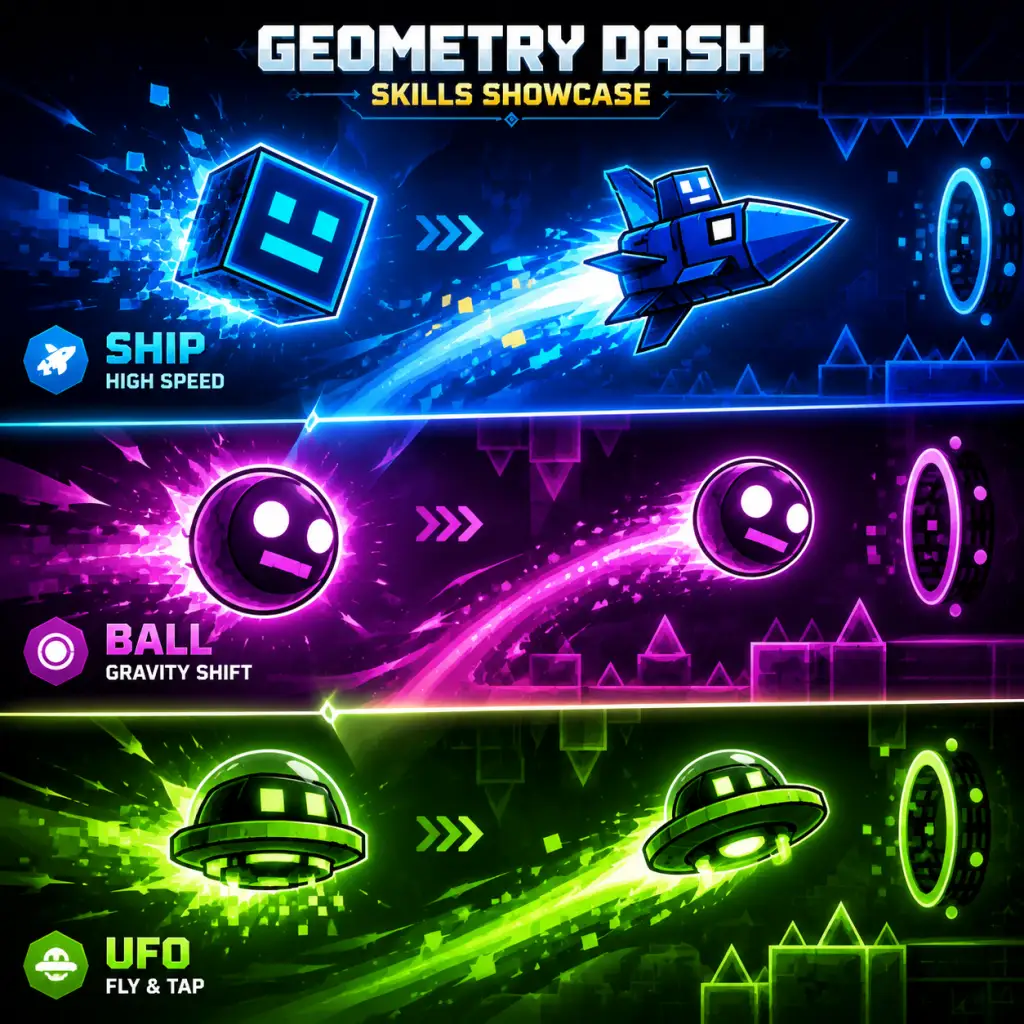
Character Skills
Overview
Geometry Dash does not feature traditional RPG-style characters, skill trees, or cooldowns. Instead, the game offers eight distinct playable forms (often called "icons" or "game modes") that alter the core movement mechanics. Each form behaves like a unique "character" with its own set of physics and control abilities. Mastering these forms is essential to completing the game's levels, especially user-created ones. This guide treats each form as a character, detailing its unique skills, practical usage, and how to transition between them.
---
Cube
Unlocked: Immediately available.
Description: The default form. A square icon that moves horizontally at a constant speed. The player can make it jump.
Skills
- Jump: Basic upward hop. Tap/hold to jump; the cube jumps when you release the hold (or on tap depending on settings).
- Gravity Flip (via Pads/Orbs): Can trigger yellow jump pads and purple gravity orbs to reverse gravity temporarily.
- When to use: The cube is used in the majority of levels, especially during straightforward platforming sections.
- Tips: Memorize jump timings to avoid spikes/blocks. Hold the jump button for a few frames to delay the jump slightly for precise positioning.
- Flight (Hold to ascend, release to descend): Continuous vertical movement. The ship moves forward at a fixed speed.
- Tight Corridor Navigation: Maneuver through narrow gaps by feathering the button.
- When to use: Ship segments appear in almost every level, particularly for vertical climbs and upside-down sections (gravity portals).
- Tips: Avoid overcorrecting; small adjustments are key. Use the ship's momentum to slide through block gaps.
- Gravity Flip (Tap to reverse gravity): Immediately switches the ball's vertical orientation. The ball rolls along the ceiling after flipping.
- Ceiling/Wall Rolling: Continues motion on any surface aligned with gravity.
- When to use: Ball sections require quick, rhythmic gravity flips to navigate obstacles on both floor and ceiling.
- Tips: Anticipate upcoming spikes and time flips precisely. The ball maintains its horizontal speed regardless of orientation.
- Propelled Boost (Tap to jump upward): The UFO gains a quick vertical impulse; it slowly descends between taps.
- Controlled Hovering: Maintain altitude by tapping rhythmically.
- When to use: UFO sections are often used for floating passages with spaced platforms.
- Tips: Don't mash the button; tap with the beat to stay at a consistent height. Each tap is a fixed jump height.
- Diagonal Movement (Hold to rise, release to fall): The wave moves at a 45° angle relative to its direction; tilting changes vertical position without affecting horizontal speed.
- Precision Traversal: Navigate zigzag corridors and tight diagonal gaps.
- When to use: Wave sections feature narrow, angled passages that require split-second adjustments.
- Tips: Keep your finger on the button and micro-adjust by barely lifting or pressing. Waves are sensitive.
- Charged Jump (Hold to charge, release to jump): Jump height depends on how long you hold. Maximum hold gives a very high jump.
- Variable Height Control: Allows clearing obstacles of varying heights.
- When to use: Robot sections require careful timing for high jumps over tall blocks or low jumps under ceilings.
- Tips: Practice the feel of charging; a half-second hold is often sufficient. Use short taps for small hops.
- Teleport (Tap to snap to nearest available surface): The spider instantly moves to the closest valid landing spot in the direction of gravity (or against it if a gravity portal is active). The teleport distance is limited to about 1.5 block widths.
- Instant Repositioning: No travel time; useful for tight gaps.
- When to use: Spider segments feature platforms spaced exactly one teleport away, requiring rhythmic tapping.
- Tips: The teleport always goes to the nearest surface; be careful near spikes that are close to the current position. Timing is less about hold length and more about tapping at precise moments.
- Pendulum Swing (Tap to switch direction): The swing moves horizontally while curving up/down based on its arc. Holding the button maintains the current direction; releasing toggles.
- Arc Navigation: The swing's path is a sine wave; obstacles must be cleared by timing the direction switches.
- When to use: Swing sections appear in later levels and demand precise rhythm to avoid spikes placed at the peaks and troughs of the arc.
- Tips: The swing moves faster at the bottom of its arc. Practice the timing with the music; each beat often corresponds to a direction toggle.
- Cube → Ship: A jump into a ship portal allows seamless transition from ground to flight.
- Ball → Spider: Gravity flips followed by teleports can bypass dense spike patterns.
- UFO → Robot: Using UFO to reach a high platform, then robot's charged jump for an even higher ceiling.
- Speedrunners: Prefer Cube and Ship for consistency.
- Demon-level grinders: Master Wave and Spider for their tight execution.
- New players: Stick with Cube, Ship, and Ball until comfortable.
Usage
---
Ship
Unlocked: Complete the first level (Stereo Madness) in normal mode.
Description: A spaceship icon that flies upward when holding the action button and descends when releasing. No gravity reversal possible.
Skills
Usage
---
Ball
Unlocked: Complete the level "Dry Out" in normal mode.
Description: A circular icon that rolls along the ground. Each tap flips gravity instantly.
Skills
Usage
---
UFO
Unlocked: Complete the level "Base After Base" in normal mode.
Description: A UFO-like icon that hovers and jumps. Each tap provides a short upward boost.
Skills
Usage
---
Wave
Unlocked: Complete the level "Cant Let Go" in normal mode.
Description: A triangular wave icon that moves in a straight line but can be angled diagonally. Hold or tap to move upward, release to move downward.
Skills
Usage
---
Robot
Unlocked: Complete the level "Jumper" in normal mode.
Description: A bipedal robot that walks on the ground. Holding the action button charges a jump; releasing executes the jump.
Skills
Usage
---
Spider
Unlocked: Complete the level "Time Machine" in normal mode.
Description: A spider-like icon that moves on the ground. Tap to teleport to an adjacent platform (left/right or up/down) instantly.
Skills
Usage
---
Swing
Unlocked: Complete the level "Clubstep" in normal mode.
Description: A swing-like form that oscillates in a pendulum motion. Tap to toggle the direction of movement (left/right) on the vertical axis.
Skills
Usage
---
Skill Synergies & Combos
Geometry Dash has no formal combos, but the ability to switch forms (via portal triggers in levels) creates synergy. For example:
Synergy tip: Many user-created levels chain forms in rapid succession. Practicing each form individually before attempting transitions is recommended.
---
Recommended "Builds" (Form Preferences)
No formal builds exist, but players gravitate toward certain forms:
There are no upgrades, talents, or spells. All forms are purely cosmetic in appearance (can be customized via the icon kit), but their physics are fixed. Some players consider the Start Position tool (Practice Mode) as a skill-enhancement feature, allowing you to practice any segment.
---
When to Use Each Skill (Practical Advice)
| Form | Best Used For | Avoid If... |
|---|---|---|
| Cube | Ground platforming, simple jumps | Long vertical sections (use Ship/UF) |
| Ship | Ascending/descending passages, upside-down flight | Tight horizontal gaps (use Cube) |
| Ball | Ceiling and floor spike patterns | Gaps too wide for a single flip |
| UFO | Floating platforms, rhythmic hovering | Fast, narrow corridors (use Ship) |
| Wave | Diagonal corridors, zigzag paths | Open space with no walls (use Ship or UFO) |
| Robot | Variable-height obstacles, high ceilings | Tight timings that require instant jumps (use Cube) |
| Spider | One‑block teleport gaps, rhythmic tapping | Wide gaps between platforms (use Cube or Ship) |
| Swing | Pendulum‑pattern obstacles, musical rhythm sections | Linear high‑speed sections (use Wave or Ship) |
Conclusion
While Geometry Dash lacks traditional character skills, each form is a distinct tool with unique physics. Mastering them all is the key to beating the game and creating or playing custom levels. This guide should serve as a reference for understanding the movement abilities of each form. There are no cooldowns, upgrades, or combos, but practice and muscle memory are your true "skills."