Character Skills
Overview
Human: Fall Flat does not feature a skill tree, leveling system, or unlockable abilities. The character—a wobbly, customized humanoid—has a fixed set of physical interactions that constitute all of the player’s “skills.” Mastery comes from understanding how these core actions combine with the game’s physics engine. This guide treats each fundamental action as a skill, detailing its mechanics, practical applications, combinations, and situational usage.
There are no cooldowns, mana costs, or upgrades; everything depends on player timing, precision, and creativity. The only “build” is your playstyle: whether you prefer methodical climbing, chaotic swinging, or cooperative teamwork in multiplayer.
Core Character Skills
1. Grab / Release
- Effect: Attach your character’s hands to any grappleable surface or object. Right hand by default (R2/RT on controller, left mouse button on PC). Left hand can also grab independently (L2/LT, right mouse button). Releasing is instantaneous by letting go of the button.
- Cooldown: None. You can grab continuously as long as your hand is within reach.
- Upgrades: None. However, you can toggle “Auto-Grab” in settings to hold hands automatically when near surfaces (advisable for beginners but limits precision).
- Combos: Grab+Jump to reach ledges; Grab+Walk to pull or push objects; Dual-Grab (both hands) to hold larger items or hang from two points.
- Synergies: Combine with momentum—grab a swinging object mid-air to transfer speed.
- Recommended Use: Always keep at least one hand grabbing when traversing dangerous gaps. Use quick taps to reposition hands while climbing.
- When to Use: Constantly. Grabbing is your primary means of interaction with the world.
- Effect: Analog stick or WASD keys move the character. Movement is floaty and momentum-based. You can tilt the body forward/backward by leaning with the right stick (or mouse movement) while moving.
- Cooldown: None.
- Upgrades: None. Walking speed is fixed.
- Combos: Walk+Jump for horizontal distance; Walk+Lean to shift center of mass; Walk+Grab to drag objects.
- Synergies: Use leaning to adjust balance on narrow ledges or rolling objects.
- Recommended Use: Small, precise movements for platforming; large, sweeping motions to build momentum on slides.
- When to Use: Always active. The only way to reposition.
- Effect: Press jump button (X/A, Space) to leap. Jump height and distance are fixed but can be influenced by momentum from swinging or falling.
- Cooldown: None, but you cannot jump while airborne. You must touch ground or a climbable surface.
- Upgrades: None.
- Combos: Run+Jump for longer leaps; Jump+Grab to catch ledges; Jump+Release mid-air to let go of objects.
- Synergies: Jumping while attached to a swinging object adds your body weight, altering the swing arc. Jump off moving platforms to extend range.
- Recommended Use: Use short hops for precise landings; full jumps to clear gaps. Combine with grab for wall-jump style maneuvers.
- When to Use: Any time you need vertical or horizontal clearance.
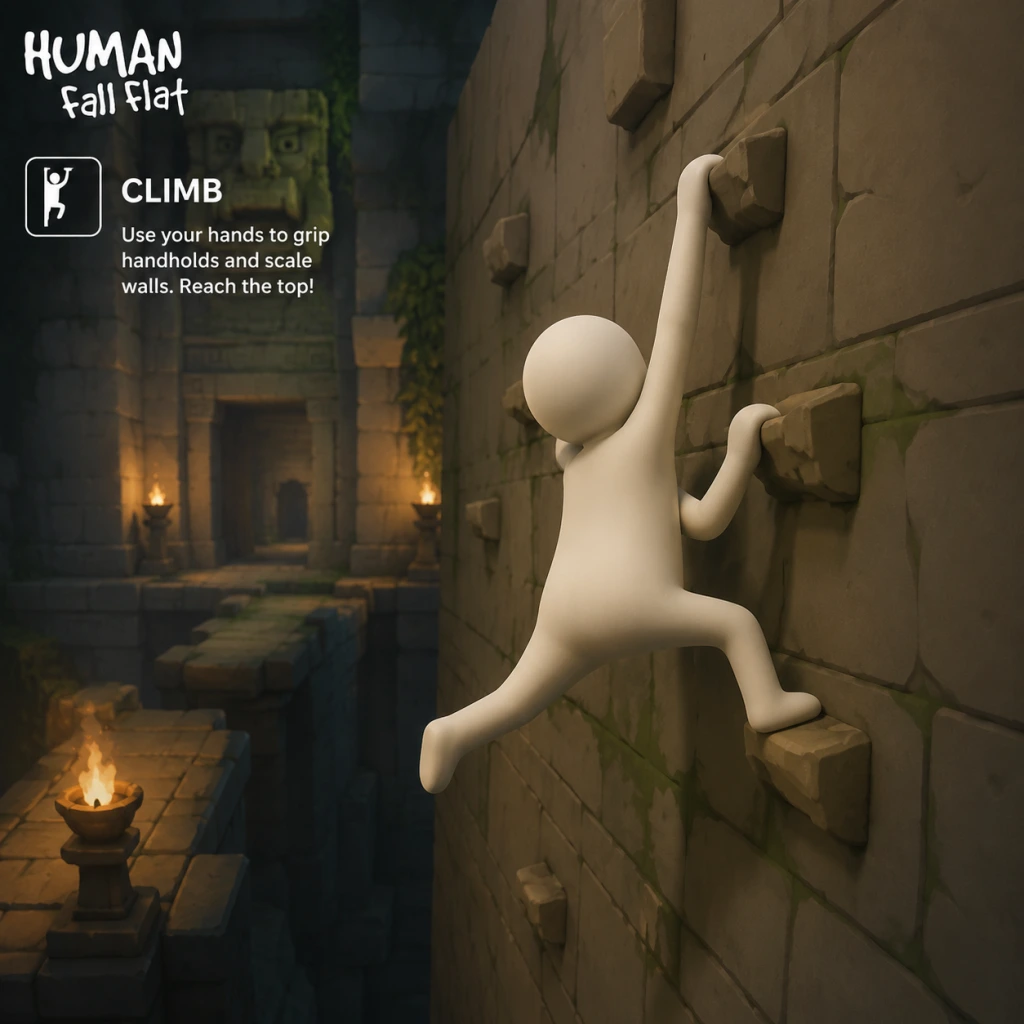
- Effect: While grabbing a surface, move upward by pulling yourself (push forward on movement stick). You slowly gain height. Can also climb horizontally by strafing.
- Cooldown: None, but climbing speed is constant and slow.
- Upgrades: None.
- Combos: Climb+Jump to vault over edges; Climb+Release+Re-grab to scale overhangs; Dual-Grab climbing to use both arms alternately.
- Synergies: Use momentum from a swing to reach higher handholds faster. Climb while holding an object (e.g., a box) to bring it with you (tricky).
- Recommended Use: For vertical obstacles. Avoid climbing long distances without handholds—use objects like planks to create shortcuts.
- When to Use: When no other path is available. Often the slowest movement option.
- Effect: Grabbing an object and moving in a direction applies force. Pulling (moving away while grabbing) drags objects; pushing (moving toward while grabbing) shoves them.
- Cooldown: None.
- Upgrades: None. Heavier objects require more effort or multiple pushes.
- Combos: Push+Jump to launch objects upward (if you jump while pushing); Pull+Turn to rotate objects; Dual-Grab push/pull for better control.
- Synergies: Use counterweights—push a heavy object off a ledge while hanging from it to fall with it.
- Recommended Use: Solve puzzles by moving blocks, turning wheels, opening doors, or creating bridges.
- When to Use: Whenever you need to relocate an interactive object.
- Effect: Grab a horizontal bar, rope, or any pivot point and release the ground. Your character becomes a pendulum. Move forward/backward to increase swing arc.
- Cooldown: None.
- Upgrades: None.
- Combos: Swing+Release to launch in a direction; Swing+Grab to catch another surface mid-air; Double-swing (two hands on separate points) for more complex arcs.
- Synergies: Use momentum to break objects (e.g., crates) or reach distant platforms. Add a second player to swing as a group.
- Recommended Use: Crossing large gaps, reaching high ledges, or gaining speed before a jump.
- When to Use: When a horizontal bar or rope is available. Also useful for building speed on rolling balls or logs.
- Effect: A technique where you use your own body as a projectile. Achieved by building momentum (swinging, running, falling) and releasing at the right moment. Not a button but a physics exploit.
- Cooldown: No actual cooldown, but requires setup.
- Upgrades: None.
- Combos: Swing+Release+Mid-air Grab to catch a distant ledge; Jump off a moving object (crate on a conveyor belt) for extra distance.
- Synergies: Throw yourself onto an object to push it; throw yourself into a button or lever from afar.
- Recommended Use: Speedruns, shortcuts, or when conventional climbing fails.
- When to Use: Advanced players use this to bypass obstacles or solve puzzles faster. Requires practice.
- Effect: Press the crouch button while moving to roll. Your character becomes a ball and rolls with momentum. Can be used to go down slopes faster or fit through small gaps.
- Cooldown: None.
- Upgrades: None.
- Combos: Roll+Jump to perform a small hop while balled; Roll+Grab to attach to surfaces while still rolling (difficult).
- Synergies: Rolling off ledges can create unexpected momentum. Combine with objects like logs to roll them.
- Recommended Use: Descending quickly, avoiding falls (less damage?), or accessing tight spaces.
- When to Use: When you need to go downhill or through narrow passages.
- Effect: Grab an object with one or both hands and move with it. Can be single-handed (carry) or dual-handed (heavy carry). Drop by releasing.
- Cooldown: None.
- Upgrades: None.
- Combos: Carry+Climb (one hand on object, one on wall); Carry+Jump; Throw object by releasing while in motion.
- Synergies: Use objects as platforms, bridges, weapons (throw at enemies? none), or tools.
- Recommended Use: Essential for almost every puzzle.
- When to Use: Whenever you need to move a puzzle element from one place to another.
- Effect: In multiplayer, players can grab each other. This enables teamwork: one player holds the other, throws them, or uses them as a weight.
- Cooldown: None.
- Upgrades: None.
- Combos: Player A grabs Player B and swings them; Player B then grabs a distant ledge; Two players hold a large object together; Stack players to reach heights.
- Synergies: Use one player as a counterweight to activate switches; create human chains.
- Recommended Use: Solving puzzles that require multiple simultaneous actions or weights.
- When to Use: Always in multiplayer—coordination is key.
- Description: Build continuous momentum by swinging, rolling, or falling and then transferring that speed into a jump or release. This allows crossing gaps much wider than a normal jump.
- Application: Useful in levels like “Power Plant” where long conveyor belts exist.
- Description: Jump toward a wall, grab it, then immediately jump again while releasing. The game’s physics allows a tiny boost upward. Repeat to scale sheer cliffs without handholds.
- Application: Speedrun technique; bypass intended climbing sequences.
- Description: Stand on an object (e.g., a plank) and jump while grabbing it. The object may launch forward, and you can ride it or use it to reach higher places.
- Application: Creative puzzle solving in levels like “Castle” where catapults exist.
- Description: A bug that allows grabbing your own body part (e.g., foot). Enables weird movement but considered unintended.
- Application: Not recommended for normal play; mainly used in community challenges.
2. Move / Walk
3. Jump
4. Climbing
5. Push / Pull
6. Swing / Swinging
7. Throw Yourself / Propel
8. Rolling / Tumbling
9. Carry / Transport Objects
10. Cooperative Actions (Multiplayer)
Advanced Techniques (Player Skills)
These are not separate controls but advanced physics exploits that become “skills” with practice.
Momentum Hording
Wall Jump (Physics Wall Climb)
Object Launching
Self-Grab Glitch
“Builds” & Playstyles
Since there are no character stats, your “build” is your preferred approach:
| Playstyle | Focus | Skills Emphasized | Best For |
|---|---|---|---|
| Precision Climber | Slow, methodical climbing and careful grabs | Climbing, Grab/Release, Momentum Hording | Completing levels without falling, exploring secrets |
| Speedy Slider | Rolling, sliding, and momentum | Rolling, Swing, Throw Yourself | Speed runs, quick level completion |
| Cooperative Anchor | Multiplayer teamwork | Cooperative Actions, Carry, Push/Pull | Solving team puzzles with friends |
| Physics Abuser | Exploiting game mechanics | Wall Jump, Object Launching, Glitches | Challenge runs, out-of-bounds exploration |
When to Use Each Skill (Situational Guide)
| Situation | Recommended Skill(s) |
|---|---|
| Vertical wall with handholds | Climbing, alternating hands |
| Wide gap | Swing+Release or Run+Jump with momentum |
| Heavy object blocking path | Push/Pull, possibly cooperative pull |
| Need to reach a high ledge | Climb using objects as steps, or Swing |
| Conveyor belt / moving platform | Jump onto it, use momentum for extra distance |
| Underwater section | Not applicable (no water levels), but holding objects can weigh you down? |
| Multiplayer puzzle requiring two weights | Cooperative Actions: one player holds object, other stands on switch |
| Tight crawlspace | Roll (crouch+move) or lay flat |
| Door or gate | Pull or push to open (often requires lever or object) |
| Catapult or seesaw | Stand on one end and jump, or use object as counterweight |
Conclusion
While Human: Fall Flat offers no traditional RPG skills, the player’s ability to manipulate the physics sandbox is the true skill set. Master the core interactions—grab, jump, climb, push, pull, and swing—and then experiment with advanced momentum techniques. Multiplayer adds another layer via cooperative moves. There are no cooldowns or upgrades, so practice and creativity are your only limits.
Remember: every object is a tool, every surface is a handhold, and your wobbly character can do almost anything if you apply enough physics abuse!