Game Tips
Portal 2 Game Tips – Comprehensive Guide
Category Overview
Portal 2 is a puzzle game with no combat, resources, or economy. Instead, tips focus on puzzle-solving, portal mechanics, momentum, testing elements, exploration, co-op communication, and advanced techniques. Below are grouped tips for beginners, intermediate players, and optimizers.
---
1. Beginner Tips (Chambers 1–19)
1.1 Understand the Portal Gun
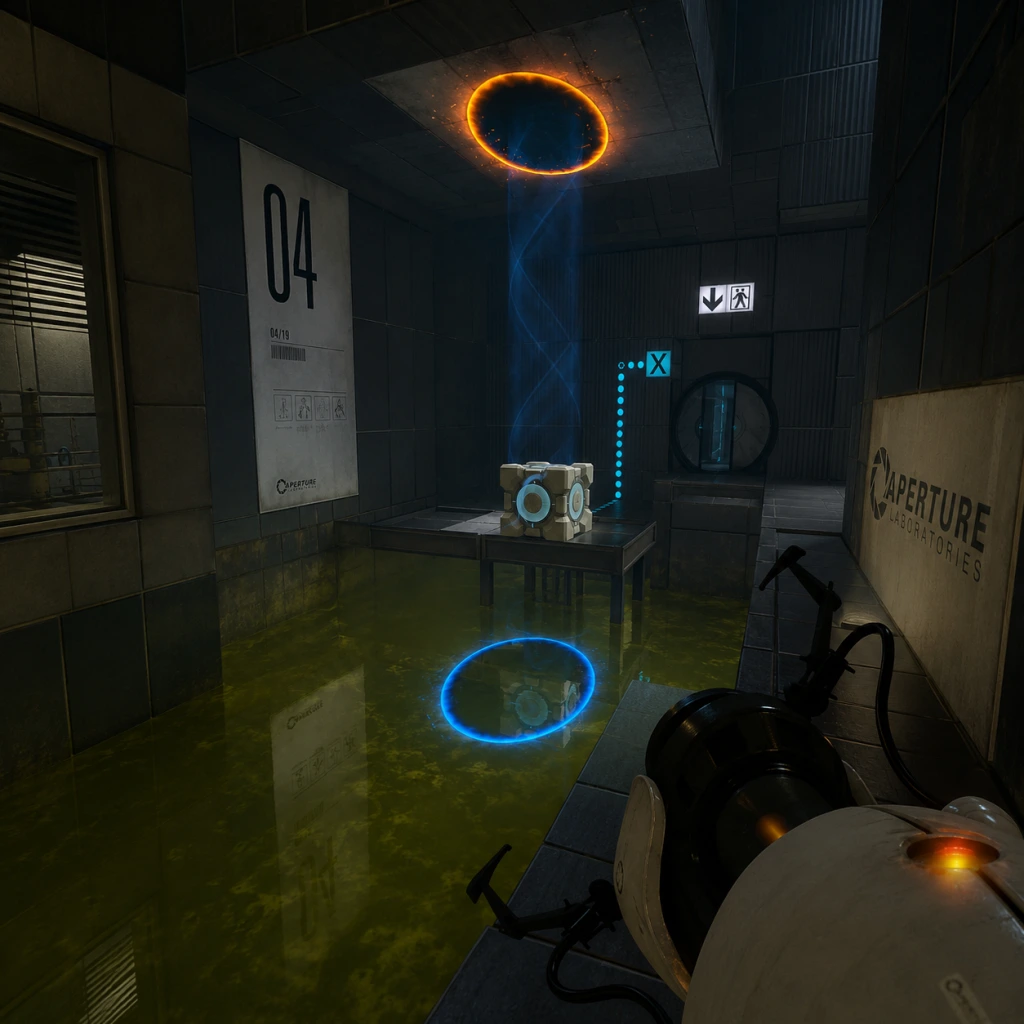
- Primary Fire (Left-click) creates blue portal; Secondary Fire (Right-click) creates orange portal. Both portals are linked.
- Only shootable surfaces: White/light grey walls that are not gridded or special. Black, dark grey, glass, or grid-textured walls are non-portal surfaces.
- Portalable surfaces are usually painted white in the test chambers; in later chapters, gels can make any surface portalable.
- Tip: If you cannot place a portal, look for a white surface nearby; move around to find one.
- Press W (forward) as you step into a portal to maintain momentum. If you strafe or step backward, you may exit awkwardly.
- Always look at where you want to go before stepping through. Your camera direction influences your exit trajectory.
- Practice dropping a cube through a portal to get timing right.
- Cubes are used to press buttons, block lasers, or redirect light bridges.
- To pick up a cube: press E (use). To drop: press E again or throw with mouse click (hold to aim).
- Tip: Use the cube as a temporary platform to reach higher ledges. You can pick it up and jump while holding it to reach switches.
- When you have two portals, you can look through them to see the other location. Use this to scout ahead without moving.
- Tip: Place one portal on a high wall and another on the floor near you; you can jump into the floor portal and exit high up (basic fling).
- They often give subtle hints about the puzzle solution. Don’t skip dialogue.
- Example: GLaDOS says “See that white wall?” when you're meant to portal there.
- How to fling: Place one portal on a high wall, another on the floor directly below it. Stand on the floor portal, look down, fall through. You’ll exit the high portal with speed. Then aim down and jump as you exit to fling across gaps.
- Why it works: Portal 2 preserves your velocity when you enter a portal. Falling downwards increases speed; exiting a wall portal propels you horizontally.
- When to use: Crossing large gaps, reaching high platforms, or bypassing puzzles (cheats? but intended).
- Advanced fling: Combine with a bounce pad or spring board to gain even more height.
- Repulsion Gel (blue): Makes surfaces bouncy. Jump on it to bounce high. Useful for reaching high ledges or bouncing across gaps.
- Propulsion Gel (orange): Makes surfaces slippery. Run onto it to gain speed; slide across floors and up walls.
- Strategy: Apply propulsion gel to a ramp or wall to slide up to higher areas. Use repulsion gel on floor to bounce onto platform.
- Tip: You can portal through gel patches; gels stick to surfaces even after you move portals.
- Light Bridge: Creates a solid light platform between two emitters. You can walk on it, and cubes can rest on it.
- Laser Redirection: Use a Reflection Cube (or portal) to redirect laser beams to laser catchers (receptors).
- Tip: You can place a portal on the light bridge itself? No – light bridge is non-portalable. But you can place portals on walls behind the bridge to change your path.
- Advanced: Use a laser to incinerate cubes or activate switches through walls.
- These lasers can be redirected by a cube with a mirror – the Reflection Cube. You must align the cube so the laser hits the receiver.
- Tip: The laser can also power certain objects (like doors). Use portals to redirect lasers across the room without moving the cube.
- Why: Portals allow you to redirect the laser from far away, avoiding dangerous paths.
- These blue beam tunnels transport objects (and you) in the direction of the funnel. You can step into one to be carried upward or across gaps.
- Tip: You can use portals to enter the funnel from a different angle or to exit mid-funnel.
- Combo: Place a portal inside the funnel’s path to redirect its end location? No – funnel is fixed, but you can step out and use portals elsewhere.
- How: If you stand at the very edge of a portal and walk forward, you can sometimes clip through walls or skip triggers.
- Why: Collision detection fails at extreme angles. Useful for out-of-bounds exploration.
- Risk: May cause softlock or crash; not intended by developers.
- When to use: Only for speedruns or exploring geometry errors.
- Create two portals facing each other (e.g., on floor and ceiling) and fall through repeatedly. You will accelerate indefinitely until you exit or hit a surface.
- Use: Can generate extreme speeds to break through barriers or skip puzzles.
- Warning: Can cause game breaking; save before trying.
- If a wall is thin enough (e.g., 1 unit thick), you can place a portal on one side and shoot the other side at the same location to see through? Not exactly – portals are two-sided but only one surface. However, you can use a portal to look through by placing one portal on a thin wall and then looking through the other portal at exactly the same spot.
- Practical: Not commonly needed; more of a curiosity.
- You can paint gels onto portalable surfaces by dropping gel into a portal that exits over a surface. This allows you to coat non-portalable walls with gel temporarily.
- Why: Expands gel coverage to otherwise unreachable areas.
- When to use: Chambers with limited gel sources; use a portal to funnel gel onto distant platforms.
- Communication is key: Use pings (Q key) and voice chat. Ping the button you want your partner to stand on, or ping the portal surface you want them to place.
- Portal pairs: Each player has their own set of portals (blue and orange). The two sets are independent, meaning you can have up to 4 portals at once.
- Advanced combo: Player A places a portal on a high wall, Player B places their portal on the floor. Player A falls through floor portal and exits high, then can reach a switch.
- Puzzle shortcuts: Many co-op chambers have alternative solutions using both players' portals simultaneously.
- Throughout the single-player campaign, you can find hidden rooms made by Doug Rattmann (the Rat Man). They contain drawings, conspiracy plots, and audio logs.
- How to find: Listen for scratching noises, look for ventilation shafts with broken grates, check behind falling panels.
- Example: In Chamber 19 (Test Chamber 19), there is a hidden passage behind a wall panel near the exit.
- In Chapter 8 (The Itch), you can hear GLaDOS’s internal monologues if you stand near certain walls. These reveal story elements.
- Tip: Stay still and silent; the audio plays when you are in a specific trigger area.
- The Cake is a Lie: In Chapter 6 (The Fall), you can find a cube with a heart scrawled on it – reference to Portal 1.
- Space Core: In Chapter 7 (The Reunion), you can find a sphere that says “SPACE!” repeatedly. Pick it up and carry it through chambers for a funny interaction with GLaDOS.
- The party escort: Near the end of the game, you can choose to leave or stay; staying triggers a unique dialogue.
- Portal 2 auto-saves, but you can manually save (F5) before tricky sections. Use quickload (F9) to revert.
- Why: Some puzzles have irreversible actions (e.g., cubes fall into pits). Reloading saves frustration.
- Reduce graphics settings if portal surfaces don’t render properly (especially in older hardware).
- Tip: Turn off v-sync for more responsive portal placement (but may cause screen tearing).
- Open console with `~`. Useful commands:
- Warning: Cheats disable achievements except in some co-op modes.
- [ ] Master basic portal placement and movement.
- [ ] Learn flinging early – practice in Chapter 2-3.
- [ ] Use cubes as platforms when needed.
- [ ] Listen to dialogue for hints.
- [ ] Distinguish gels – blue for bouncing, orange for speeding.
- [ ] In co-op: ping and coordinate portals.
- [ ] Explore for hidden dens and audio logs.
- [ ] Save frequently.
- [ ] For speedruns: learn edge glitch and infinite fall.
1.2 Move Through Portals Correctly
1.3 The Weighted Storage Cube
1.4 Use the Portal as a Perch
1.5 Listen to GLaDOS and Cave Johnson
---
2. Intermediate Strategies (Chambers 19–40)
2.1 Momentum Preservation (Flinging)
2.2 Repulsion Gel vs. Propulsion Gel
2.3 Light Bridges and Lasers
2.4 Thermal Discouragement Beams (Lasers)
2.5 Excursion Funnels (Gravity Tunnels)
---
3. Advanced Optimizations & Speedrun Techniques
3.1 Portal Bumping (Edge Glitch)
3.2 Infinite Fall Glitch
3.3 Peeking Through Thin Walls
3.4 Using Gels on Portals
3.5 Co-op Optimizations
---
4. Exploration & Secrets
4.1 Hidden Rat Man Dens
4.2 Eavesdropping on GLaDOS
4.3 Easter Eggs
---
5. Technical Tips
5.1 Save Often
5.2 Graphics & Performance
5.3 Console Commands (PC)
- `sv_cheats 1` then `noclip` for flying.
- `map` + map name to jump to any chamber.
- `portal_placement_help 1` to see portal surface validity.
---
6. Summary Checklist
---
Remember: Portal 2 is about creative problem-solving. These tips enhance your ability to think with portals, but the true joy comes from discovering solutions yourself.