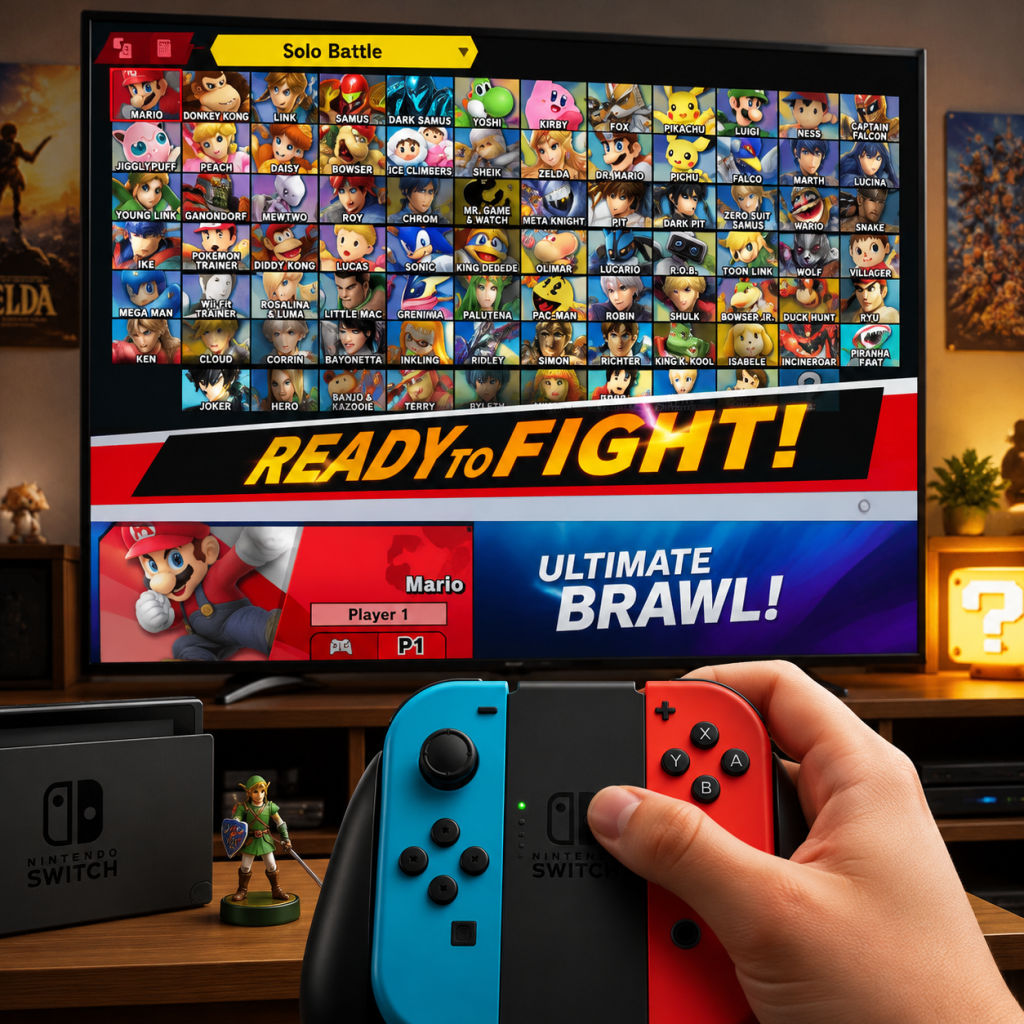
Getting Started
Super Smash Bros. Ultimate Getting Started Guide
Welcome to the Ultimate Brawl!
Super Smash Bros. Ultimate is a crossover platform fighter where iconic video game characters duke it out on colorful stages. Unlike traditional fighting games, the goal isn’t just to drain an HP bar – you win by knocking your opponents off the stage. This guide will walk you through your first hour, explain the controls, demystify the UI, and help you avoid common pitfalls so you can start having fun immediately.
First Hour Walkthrough
0-5 Minutes: Boot Up & Main Menu
- Launch the game (slot your game card or select the digital icon).
- After the opening cinematic, you’ll land on the main menu. Don’t panic – there are many options, but you only need a few right now.
- Navigation tip: Use the left stick to move the cursor, A to select, B to go back, and + (plus) to open the menu overlay.
- For absolute beginners, select "Smash" from the main menu. This is the core mode.
- Smash mode offers "Stock" (lives) and "Time" (points after a time limit) rules. Stock is the standard competitive mode; start with 3 Stock and 7 minutes for a balanced fight.
- You can also jump into "Training" (it’s under Games & More) to practice movement and moves without pressure.
- The game has 80+ characters unlocked from the start (some are unlockable). Every character has unique moves, but the fundamentals are the same.
- Tip: Start with Kirby – he has a simple moveset, a good recovery (up special), and a neutral special that copies the opponent’s ability. He’s the traditional “easy” character.
- Controls (default layout):
- In Smash mode, choose "Vs. Mode" then select your fighter, stage, and difficulty (start with Level 3-5 CPU).
- Focus on:
- Don’t worry about winning – just get comfortable with how the character feels.
- Go to "Games & More" → "Training" . Pause with + to change settings (e.g., infinite shields, no opponent, set CPU to stand).
- Practice:
- Pro tip: Turn on the "Control Stick Sensitivity" in Training settings to see how your inputs register.
- Mii Fighters (Brawler, Swordfighter, Gunner) – under Games & More → Mii Fighters. You can change their appearance (using Mii characters) and special moves. Not for beginners; stick to standard fighters first.
- Play the whole roster in Smash vs CPU (each character has a short intro).
- Look for a fighter whose playstyle clicks:
- Recommendation for new players: Kirby, Mario, or Lucina (Marth’s echo – no tipper mechanic) – simple, well-rounded.
5-15 Minutes: Choose a Mode
15-30 Minutes: Pick a Fighter & Learn Basic Moves
- Left Stick: Move
- A (face button): Attack (neutral, tilt, smash)
- B (top face button): Special move
- X/Y: Jump
- ZR/ZL: Shield (hold to block)
- R/L (bumpers): Grab (when close) / Shield + attack
- Right Stick (C-Stick): Smash attacks (by default) – useful for directional attacks.
30-45 Minutes: Play a Few Matches vs CPU
- Movement: Dash (double-tap left/right or hold forward), short hop (tap jump quickly), fast fall (down on stick while airborne).
- Basic Combos: For Kirby: Down throw → forward air → up special (works at low percents).
- Edgeguarding: When opponent is offstage, go to the edge and use a forward air or down air to knock them further.
45-60 Minutes: Explore Training Mode & Controls Test
- Short hop + aerial (press X/Y and A quickly).
- Recovering: Use up special (Kirby’s Final Cutter) to return to stage.
- Shield grabbing: While shielding, press A to grab (timing is important).
Character Creation? None – But Picking a Main
Super Smash Bros. Ultimate does not have character creation. You select from a roster of existing fighters. However, you can customize:
How to choose your main:
- Fast rushdown: Fox, Pikachu
- Zoners/spacing: Samus, Link
- Heavy hitters: Donkey Kong, Bowser
Controls on All Platforms (Switch Only)
Since SSBU is Switch-exclusive, the controls map the same across console variants. The main differences come from controller type:
| Controller Type | How to Connect | Layout Notes |
|---|---|---|
| Joy‑Con (pair) | Slide onto console or sync wirelessly via Controllers menu | Each grip has full set of buttons. Use left stick for movement, right stick for smashes (default). |
| Joy‑Con (single) | Attach to the console or use the included strap | Only one stick – right stick moves? No, left stick moves; right Joy‑Con has no analog. Not recommended – hard to perform tilt attacks. |
| Pro Controller | Sync via System Settings or plug in via USB | Comfortable, full-sized buttons. Most competitive players use this. |
| GameCube Controller | Requires an official Nintendo GameCube Controller Adapter (USB) | Classic layout: A is big (attack), B is special, X/Y jump, Z grab, L/R shield. Works natively after adapter recognition. |
- Tilt attack: Move left stick gently + A (no smash direction).
- Smash attack: Move left stick quickly + A at same time.
- Special: B button.
- Shield: Hold either ZR or ZL (or L/R on GameCube).
- Grab: Press L/R (shield + attack) or Z on GameCube.
- Jump: X, Y, or tap up on stick (tap jump – turn off if you prefer).
- Dash: Double-tap forward or hold forward after initial dash.
- From main menu, select "Games & More" → "Controls" . You can create custom control profiles (name them).
- Common changes for beginners:
- Smash: The core multiplayer vs mode (1-8 players).
- Spirits: A single-player adventure where you collect spirit cards for stat boosts.
- Online: Play against others worldwide – requires Nintendo Switch Online subscription.
- Games & More: Contains Classic Mode, Training, Mob Smash, Stadium, Vault, and more.
- Unlock All Characters: There are 74 base fighters + 12 DLC (via Fighter Passes). Initially you have 8. To unlock, play 1v1 vs CPU or online – each match triggers a challenger approaching. Beat them to unlock. You can also unlock quickly via World of Light (Spirits mode).
- Learn the Basics: Master movement (dash dancing, short hop, fast fall), shield usage, and recovery.
- Complete Classic Mode with a few characters to get early coins and spirits.
- Play Training Mode for 10-15 minutes a day to build muscle memory.
- Set a control scheme that feels comfortable.
- Go to Controls (Games & More → Controls) and set up your preferred layout. Recommendation: Turn off tap jump, set right stick to tilt attacks.
- Play Training Mode for 5 minutes with Kirby. Focus on:
- Play Smash vs. CPU at Level 3 with one stock and 3 minutes. Win or lose, try to land at least 3 combos.
- Watch a 5-minute beginner guide video (search "SSBU fundamentals").
- Jumping online immediately – online is filled with experienced players and lag can be frustrating.
- Trying to unlock all characters in one sitting – burnout leads to bad habits.
- Using items in your first matches – they add randomness; learn core gameplay first.
- Playing with the default control setup for too long – customize early.
- Spamming the same move (e.g., Kirby’s down special) – it becomes predictable.
- Coins (Gold): Earned from matches, Classic Mode, and challenges. Spend on:
- Spirits: Collect a few primary spirits to boost stats in World of Light. Don’t over-invest; new ones come quickly.
- Tickets: Earned from Classic Mode. Use them to re-challenge fighters you lost to (after unlocking attempts).
- [ ] Set up a custom control profile (tap jump off, right stick to tilts, stick sensitivity low).
- [ ] Play Training Mode (5-10 mins) with Kirby: practice short hop, up special recovery, and down throw forward air.
- [ ] Play Smash vs. CPU (Level 3, 3 stock, 7 mins) – win or lose, focus on moving and attacking.
- [ ] Unlock one new character by winning a 1v1 match against the challenger.
- [ ] Watch one beginner tutorial on YouTube (search "Smash Bros Ultimate beginner tips").
- [ ] Adjust in-game audio settings if needed (music vs SFX balance).
- [ ] Turn off Tap Jump in controls.
- [ ] Set Rumble to your preference (many competitive players turn it off).
- [ ] Try Classic Mode with Kirby once to earn coins and a spirit.
- [ ] Have fun – don’t worry about losing. The game is designed to be chaotic and fun even when you’re learning.
- Play World of Light – it’s a long adventure that teaches various mechanics.
- Experiment with 3-5 characters to find a main.
- Practice short hop fast fall aerials – a core competitive technique.
- Set a goal: E.g., “land 10 short hop forward airs in Training today.”
How to change controls:
- Turn off Tap Jump (prevents accidental jumps when doing up tilt).
- Set Right Stick to Tilt Attack instead of Smash (makes tilts easier).
- Adjust stick sensitivity to Low if you struggle with accidental smash inputs.
UI Overview
Main Menu (single player focus):
In-Game HUD (during a match):
1. Player indicators at top – shows stock icons (life count), percent (damage), and player number.
2. Damage percent – the higher the number (max 999%), the further you get launched.
3. Stock/pause menu – press + to pause (change rules, quit).
4. Stage hazards – some stages have interactive elements (indicated by hazard icon in stage select).
5. Final Smash Meter (optional) – when enabled, fills over time; press B+Right Stick to unleash a powerful attack.
6. Announcer – calls out character names, the start, and results.
Essential Early Objectives
What to Do First vs. What to Avoid
DO FIRST:
- Moving and jumping without looking at controller.
- Doing a short hop (tap jump quickly) then an aerial.
- Recovering: Use up special when off stage.
AVOID:
Early Resource Priorities
- Spirit Board items (useful for World of Light but not critical).
- Music & Mii Costumes in the Shop (optional).
- Unlocking characters? No, coins cannot unlock fighters – only winning matches does.
Common Beginner Mistakes
1. Mashing buttons without direction – results in random moves. Slow down and press intentionally.
2. Always rolling away – rolling is punishable. Mix up with spot dodge or shield.
3. Forgetting to recover – many new players hold a direction away from stage after being hit. Always drift toward the ledge.
4. Using smash attacks constantly – they are slow and easily punished. Use tilts and aerials more.
5. Not shielding – shield is your best defensive tool. Use it to block attacks and then punish with a grab.
6. Chasing too hard offstage – if you are not confident, play safe near the ledge.
7. Ignoring the grab button – grabbing is a great way to start combos after a shield.
8. Sticking with one control scheme – experiment early; you can always change later.
Day-One Checklist
Next Steps After Day One
Remember: Ultimate has a huge community. If you have questions, check out the SmashWiki, Reddit (r/CrazyHand), or Discord servers. You’re joining one of the most welcoming yet challenging fighting games ever made. Good luck and have fun smashing!