Important Notes
Important Notes
Warnings & Pitfalls
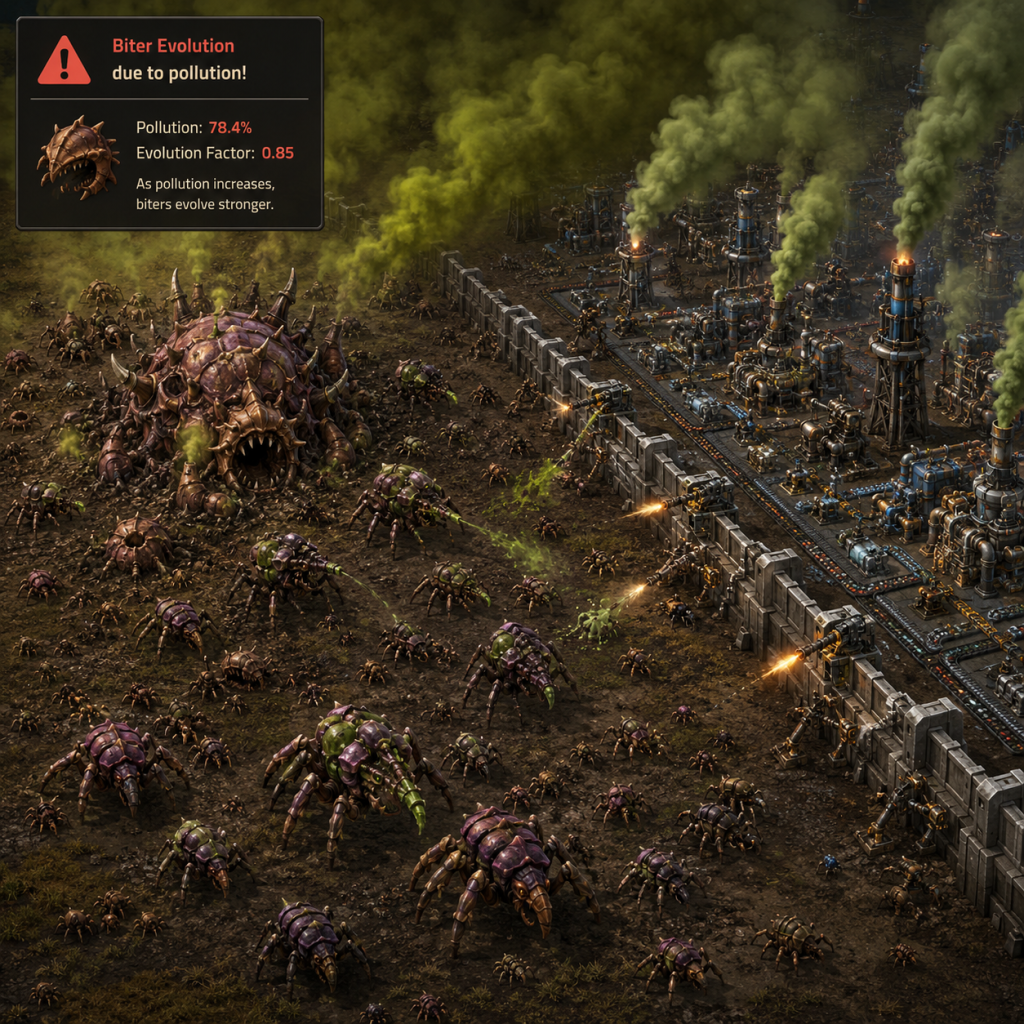
- Biter Evolution: Biters evolve over time based on global pollution and time. If you pollute heavily early on, they will become stronger faster. Build defenses early and consider using efficiency modules or solar power to reduce pollution.
- Cliff Explosives: Cliffs block expansion and can only be removed with cliff explosives (researched later). Plan your base layout to avoid getting trapped by cliffs, or enable 'no cliffs' in world generation to avoid headaches.
- Spitter Ranges: Spitters have longer range than biters. Turret creep (placing turrets forward) can be risky if spitters are present. Use walls and dragon's teeth to slow them.
- Train Collisions: Trains can kill you instantly. Always be aware of rail crossings and signals. Use rail signals properly to prevent collisions.
- Power Outages: A brownout or blackout can cascade: miners slow down → less coal → boilers run dry → more power loss. Always have a backup power source (solar/accumulators) or a separate fuel line for power.
- Resource Patch Depletion: Ore patches deplete over time. You will need to expand and secure new resource outposts. Don't rely on a single patch for late game.
- Uranium Processing: Uranium processing produces U-235 and U-238. U-235 is rare (0.7% chance). If you only get U-238, you'll need to start a Kovarex enrichment process to produce more U-235. Do not discard U-238; you need it for ammo and fuel cells.
- Terrain Changes: Once you place landfill or concrete, you cannot undo it easily. If you fill in water, it's permanent (unless you use mods). Plan water access for nuclear power and oil processing.
- Research Choices: Most research is reversible by building science packs, but some technologies (like 'Automation 2' for assembler 2) unlock recipes that require careful balancing. Not irreversible, but poor order can slow progress.
- Mod Enable/Disable: Mods can alter game mechanics drastically. Enabling mods mid-save is allowed but can break mod compatibility. Disabling mods that added items will remove those items from your factory, potentially breaking your base. Test mods in a copy of your save.
- Multiplayer Settings: Once a multiplayer game is started, settings like password, biters, and map exchange string cannot be changed without restarting the server or using commands (which disable achievements).
- Achievements: Using console commands (press ~) or mods that alter gameplay (like 'infinite resources') disables Steam achievements permanently for that save. To get achievements, use a vanilla save or the 'vanilla+' mods that do not enable 'cheat mode'.
- Achievements: Some achievements are time-sensitive or condition-sensitive. For example, 'There Is No Spoon' (launch rocket in 8 hours) requires speedrunning. 'Raining Bullets' (destroy 10k biters) can be missed if you disable biters. Check the achievement list before starting.
- Special Events: Factorio has no limited-time events. However, the campaign and tutorial missions have story elements that are not repeated in freeplay. Play them for lore.
- Modded Content: Wube Software releases experimental versions (0.18, 0.19, etc.) that become stable. New features like 'Spider Vehicle' were added in a major update. If you skip updates, you miss new content. Always update to the latest stable version.
- First Biter Attack: The first biter attack often catches new players off guard. It usually happens after you build your first pollution-creating machines (burner miners, boilers). Prepare with at least a few gun turrets and magazines.
- Oil Processing: Oil is the first major complexity jump. You must understand fluid mechanics, cracking, and heavy/light/petroleum balancing. Watch tutorials or experiment with tanks to buffer.
- Blue Science (Chemical Science Pack): Requires oil products, which introduces sulphuric acid and batteries. This is often the first bottleneck for many players.
- Purple & Yellow Science: These require massive amounts of circuits, engines, and low-density structures. If your base is not scalable, you'll hit a wall.
- Biter Evolution Mid-Game: Around the time you research military science, biters may start sending larger waves with big biters/spitters. Upgrade to red ammo and flame turrets.
- Nuclear Power Setup: Building a nuclear reactor requires complex piping, heat exchangers, steam turbines, and Kovarex enrichment. Mistakes can lead to overheating or waste of resources. Follow a blueprint from the community.
- Handcrafting Everything: Early on, you may be tempted to handcraft many items. This is slow and inefficient. Automate circuits, inserters, belts as soon as possible. Handcrafting is only for quick tasks.
- Overbuilding Early: Building huge arrays of furnaces or miners before you have the infrastructure to power them or transport materials will create idle machines and waste time. Scale gradually.
- Manual Ore Collection: Mining by hand is only viable for the first few minutes. Build burner miners immediately and connect them to a furnace.
- Running to Resources: If your base is far from resources, build a train or belt network early. Running back and forth is a huge time sink.
- Defense Micro-management: Relying on manually repairing walls or refilling turrets is unsustainable. Automate ammo production and use repair packs with robots (logistic bots) for advanced defense.
- Factorio Multiplayer: Factorio has no official anti-cheat system. However, server admins can enable 'whitelist' or 'password' to control access. Most public servers have rules against griefing (destroying other players' entities) and stealing resources. Be respectful.
- Modded vs Vanilla Servers: Joining a modded server without the required mods will fail. Ensure you have the exact same mod list and version as the server.
- Headless Server: To run a dedicated server, download the headless version from the official site. It does not require a GUI.
- Console Commands: Using commands (like /c game.player.blueprint_to_force()) in multiplayer often requires admin permission. Typing commands without permission may kick you.
- Anti-Cheat for Speedruns: For leaderboards (like Speedrun.com), you must play vanilla without any mods or console commands. Even using 'alt-mode' is allowed, but not any script mods.
- Frequent Saves: Factorio auto-saves every few minutes (configurable). However, manual saves are crucial before major expansions, new tech unlocks, or risky actions (e.g., exploring near a huge biter nest).
- Limit Save Number: The game can handle many saves, but autosave count is limited to prevent storage issues. Increase the autosave count in settings if you want more backups.
- Separate Saves for Experiments: If you want to try a new base design or mod, copy your save file (in the 'saves' folder) to a new name. This avoids corrupting your main progress.
- Cloud Save: Steam Cloud syncs saves across devices. However, if you play on Nintendo Switch or multiple PCs, be aware of potential conflicts. Turn off cloud sync for Factorio if you frequently switch saves.
- Blueprint Library: Blueprints are stored in a separate file (`blueprint-storage.dat`). Back this up separately if you spend much time designing blueprints.
- Map Exchange String: When creating a new game, you can copy the map exchange string at the start. Save this string somewhere; it allows you to recreate the exact same world (including terrain and resource placement) in another save or for multiplayer.
- Main Bus: A main bus (centralized belt highway for iron, copper, green circuits, steel, etc.) simplifies expansion and organization. New players often build spaghetti buses and later wish they had a main bus.
- Ratios: Understanding ratios simplifies planning. For example, 1 gear assembler supports 10 red science assemblers. Use online calculators or the Factorio cheat sheet.
- Alt Mode: Press Alt to toggle display of item icons on machines and chests. This helps immensely in identifying assemblers and belts. Many beginners don't use it.
- Copy/Paste Settings: Shift+right-click on a machine to copy its recipe/configuration, then shift+left-click to paste onto another. This speeds up setup of multiple machines.
- Undo: You can press Ctrl+Z to undo blueprint placement or deconstruction. Limited but helpful.
- Train Signals: Train signals split the track into blocks. Only one train per block. Chain signals prevent deadlocks. Use chain signals before intersections and rail signals after. For two-way tracks, ensure signals are paired.
- Solar Power Ratios: 0.84 accumulators per solar panel (in vanilla) during daylight to provide constant power overnight. Build in multiples of that ratio.
- Roboport Coverage: Construction robots can only reach items within your personal roboport range (orange). If you place a blueprint outside range, robots will not build it. Use the 'roboport' in the blueprint or build a network of roboports.
- Module Usage: Efficiency modules reduce pollution and power drain, useful in early/mid game. Speed modules increase output but consume more power and pollution late game. Productivity modules are king for infinite resource savings (place in assemblers making circuits and science).
- Beacon Overlap: Beacons can affect multiple machines if placed in a grid pattern. The optimal layout for speed beacons is often a 'bacon sandwich' (row of assemblers, row of beacons, row of assemblers).
- Spidertron: The spidertron is a versatile vehicle that can walk over cliffs, small bodies of water, and has a large equipment grid. Research it early for exploration (needs yellow science).