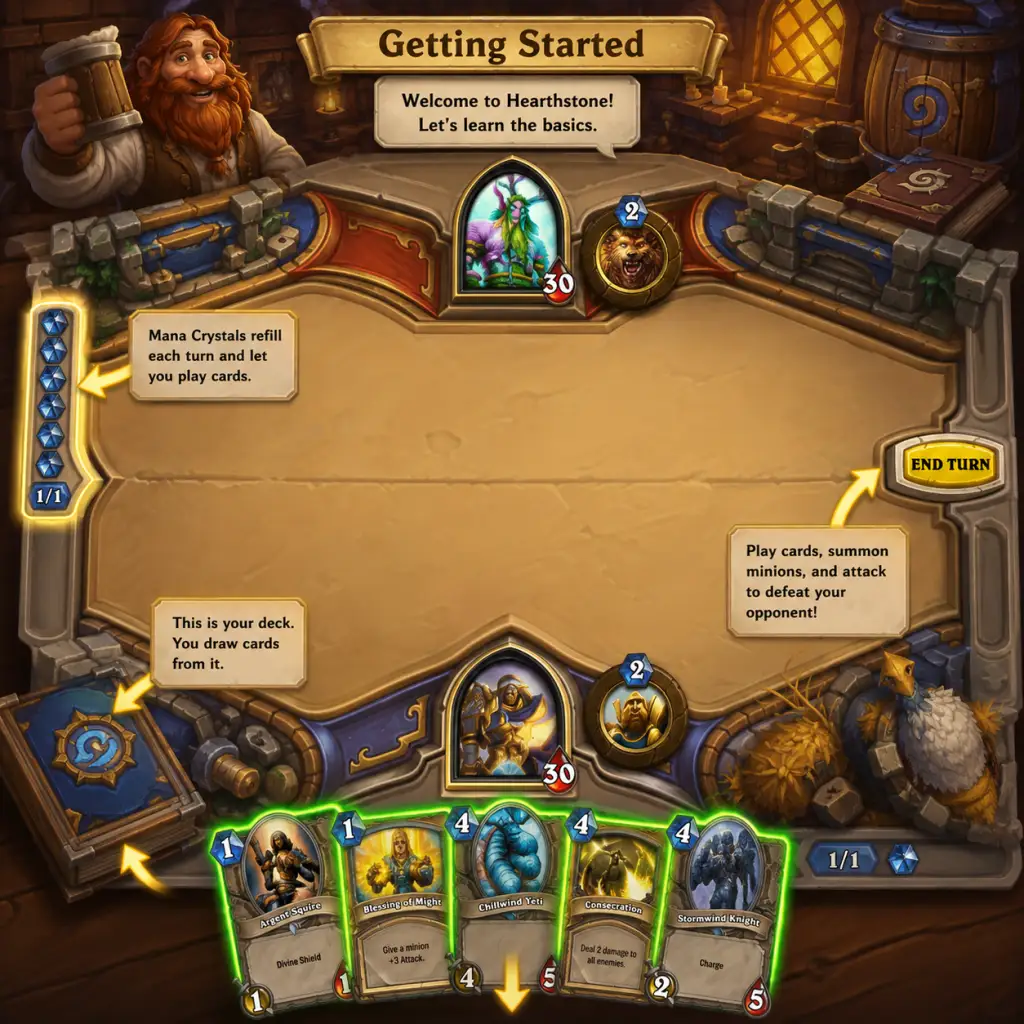
Getting Started
Download & Installation
Platform Availability
Hearthstone is not available on Steam, Epic Games Store, PlayStation, Xbox, or Nintendo Switch. The game is officially distributed exclusively through Blizzard’s own platforms:
- PC (Windows / macOS): Download the Battle.net desktop app from [blizzard.com](https://www.blizzard.com), then install Hearthstone from the app.
- Mobile (iOS / Android): Search for “Hearthstone” in the App Store (iOS) or Google Play Store (Android). The game requires ~3–5 GB of storage and a stable internet connection.
- Tablets: Works on iPad and Android tablets with touch controls.
- PC: Windows 7+ or macOS 10.12+, 2GB RAM, 3GB storage, Intel Core 2 Duo or AMD Athlon 64 X2.
- Mobile: iOS 12+ or Android 5.0+, 2GB RAM recommended.
- Mouse left-click: Select cards, target enemies, play cards.
- Mouse right-click: Target own hero or minions for actions like attacking.
- Drag & drop: Card from hand onto the battlefield.
- Scroll wheel: Zoom on board (useful to see card text).
- Keyboard shortcuts:
- Tap: Select cards, tap to play.
- Drag & tap: Drag card to board, then tap to confirm target.
- Long press: View card detail.
- Swipe left/right: Scroll hand.
- End turn button: Large green button at center bottom.
- Restart turn? – No undo; be careful.
- Same as mobile but with larger interface. Landscape recommended.
- Play Button: Large central button. Opens game mode selection (Casual, Ranked, Arena, Battlegrounds, etc.).
- Missions & Quests: Icon top-left (looks like a scroll). Daily quests give gold and XP.
- Shop: Bottom-right – buy packs, adventures, bundles.
- Collection: Bottom-left – manage decks, craft/dust cards.
- Hero Portrait: Top-left – shows your current hero class. Click to change class.
- Quest Log: See progress.
- Friends List: Social features.
- Settings Gear: Top-right – options, sound, language, etc.
- Hand: Cards at bottom.
- Mana Crystal: Top of hand – shows current & max mana.
- Hero Portrait: Top-left (your hero) and top-right (opponent). Health and armor.
- Hero Power: Small button below hero (costs 2 mana).
- End Turn: Green button bottom-right (blinks when you can attack).
- Board: Center – your minions (left side of your hero) and opponent’s (right side).
- Deck Tracker: Before your turn, you can view past actions (not automatic – need third-party app for tracking drawn cards).
- Unlock all 10 heroes: Play Practice matches vs AI for each class. Win once with any deck to unlock that class. This grants free cards and expands options.
- Complete Daily Quests: Earn gold (40–100+ per quest). Reroll bad quests (tap the ‘X’ next to a quest once per day).
- Reach Level 10 with one class: Leveling up heroes unlocks class-specific basic cards for free.
- Try Tavern Brawl: Available Wednesdays–Mondays. Even with weak decks, you can get a free pack for your first win each week.
- Play Ranked (after level 20): No need to fear; you start at low ranks against other beginners. You cannot drop below rank 20 until later seasons.
- Gold: Save for buying Standard packs (100 gold each) or Arena entry (150 gold if you’re experienced). Do not spend on non-essential cosmetics.
- Arcane Dust: Dust duplicate cards (auto-dust is fine). Use dust to craft key neutral commons/rares. Save for a Tier 1 budget deck (e.g., Zoo Warlock or Face Hunter).
- Packs: Open all free packs first. Do not hoard packs – open them immediately to get cards.
- Hero Level: Level each hero to 10 for free basic cards. Highest priority = level one hero to 10, then spread out.
- Card Backs: Not a resource but cosmetic – obtainable from events or seasonal rewards.
- [ ] Complete the 3-part Tutorial.
- [ ] Open your first free pack (from tutorial reward).
- [ ] Unlock at least 6 heroes by winning Practice matches (use the same starting Mage deck).
- [ ] Level your Mage (or chosen class) to Level 10 by playing Practice matches (you’ll unlock more basic cards).
- [ ] Complete all available daily quests (check the quest icon).
- [ ] Use your first 100 gold to buy a Standard pack (e.g., the most recent expansion).
- [ ] Craft one or two recommended neutral common cards with your initial dust (e.g., Novice Engineer, Acidic Swamp Ooze).
- [ ] Play one Casual game (even if you lose – it’s okay).
- [ ] Read the in-game tips (question mark icons during matches).
- [ ] Set your deck format to Standard in Collection (not Wild).
- [ ] Do NOT buy Arena tickets or cosmetic packs.
- [ ] Add a few friends (or play against friends to learn) – optional.
System Requirements (Minimum)
Game Introduction
Genre and Developer
Hearthstone is a digital collectible card game (CCG) developed and published by Blizzard Entertainment, the renowned studio behind World of Warcraft, Overwatch, and Diablo. It blends strategic deckbuilding with turn-based card combat, set in the Warcraft universe. Players choose a hero class, build a 30-card deck, and battle opponents online.
Story & Setting
While Hearthstone has no single-player campaign, it features whimsical taverns, characters from Warcraft lore (e.g., Jaina Proudmoore, Thrall), and expansions that tell self-contained stories (e.g., The Frozen Throne, Whispers of the Old Gods). The core gameplay is competitive or casual PvP, with occasional solo adventures.
Getting Started Guide for Beginners
First Hour Walkthrough
1. Launch the game – After installation, open Hearthstone. You’ll see a Blizzard logo, then the Tutorial begins.
2. Choose your class – The tutorial forces you to start as Mage (Jaina Proudmoore). No choice is needed; this is the only way. You’ll learn basic mechanics: mana, cards, attacking, hero power.
3. Complete the Tutorial (≈15 minutes) – You’ll play three scripted matches against the Innkeeper (AI). Follow on-screen prompts. You cannot lose these matches.
4. Post-tutorial freedom – After the tutorial, you can play Practice mode against AI (unlock more heroes), enter Play mode for casual PvP, or explore other modes.
5. Unlock Heroes – You start with 3 heroes: Mage, Warrior, Hunter. Play Practice mode matches until you defeat each of the 10 class AI opponents to unlock all heroes. Each win unlocks a new class (e.g., Priest, Druid, etc.). This is your first major goal.
Character Creation (Hero Selection)
Hearthstone has no character creation (no name, appearance, or attributes). Instead, you choose a hero class – there are 10 classes (Mage, Hunter, Warrior, etc.). Each class has a unique Hero Power (costs 2 mana, clickable button) and access to class-specific cards. Your “character” is simply the hero portrait you select before a match. You can switch classes freely between games. No permanent choice is required. Early on, focus on mastering one class (e.g., Mage is forgiving for beginners).
Controls on All Platforms
#### PC (Mouse & Keyboard)
- `1`, `2`, `3`… to select cards in hand (by position).
- `Enter` to end turn.
- `Escape` to open menu (leave match, settings).
- `H` to highlight hand (shows cards clearly during opponent’s turn).
#### Mobile (iOS / Android)
#### Tablet
UI Overview (Main Screen)
After the tutorial, you see the Main Menu. Key elements:
During a Match:
Essential Early Objectives
What to Do First and What to Avoid
#### ✅ DO:
1. Complete the entire tutorial (even if you already played, replay to refresh).
2. Play Practice mode to unlock heroes and learn basic cards.
3. Do all daily quests – never skip them; they are your main gold source.
4. Spend gold only on Standard packs (not Wild or Classic packs unless you know what you’re doing). Start with “Year of the Phoenix” packs (e.g., Mean Streets of Gadgetzan or Journey to Un’Goro – whatever is current Standard).
5. Use your first 100 gold to buy one pack, then open it. Use the free cards to improve basic decks.
6. Craft only essential neutral cards (like Novice Engineer, Harvest Golem) with Arcane Dust. Never craft class cards for a class you don’t play yet.
7. Join a tavern – but no need; focus on learning.
#### ❌ AVOID:
1. Buying packs from the Shop immediately – you get a lot of free packs from quests and leveling.
2. Dusting all your cards for one deck – dust is scarce; keep cards for variety.
3. Playing Ranked before understanding basic strategies – you’ll lose a lot and feel frustrated.
4. Ignoring the free card backs – some require wins, but don’t stress.
5. Playing Arena (Draft mode) – entry costs gold and requires card knowledge. Stick to constructed modes.
6. Giving gold to the ‘Innkeeper’ for cosmetic items – not needed early.
Early Resource Priorities
Common Beginner Mistakes
1. Overcommitting to the board – Playing all cards early empties your hand, leaving you vulnerable to board clears (e.g., Flamestrike). Maintain 2–3 minions.
2. Not using the hero power – Many beginners forget they can use it when they have spare mana. Use it to gain tempo.
3. Trading inefficiently – Don’t trade weak minions into strong ones. Attack face when you can’t kill opponent minions.
4. Ignoring the mana curve – Your deck should have a balance of low-cost (1–3 mana) and high-cost cards. Avoid too many 7+ cost cards.
5. Conceding too early – Hearthstone has many comeback mechanics. Wait until you see lethal (lethal = opponent can kill you next turn).
6. Not reading patch notes – Balance changes can make your deck weaker. Check official news.
7. Spending real money impulsively – Not necessary to have fun; grind is generous.
Day-One Checklist
By following this guide, you’ll understand Hearthstone’s basics, avoid common pitfalls, and build a strong foundation for competitive play. Welcome to the tavern!