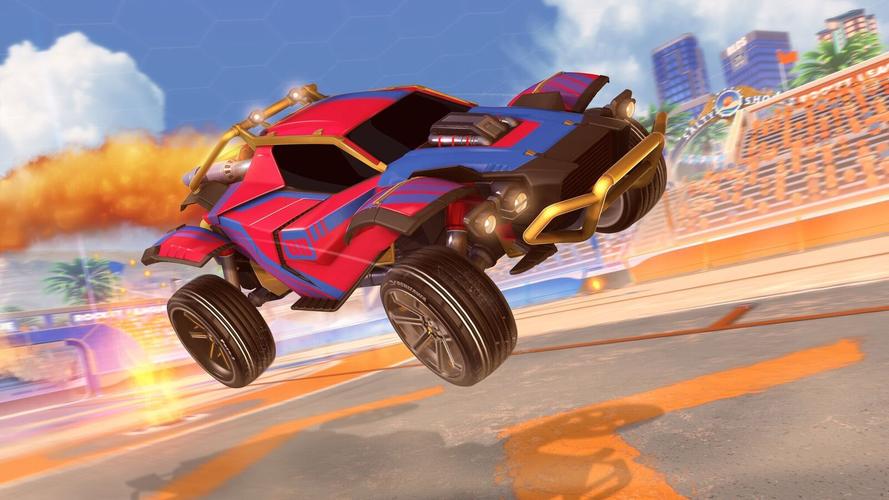
Getting Started
Getting Started in Rocket League
Welcome to Rocket League! This guide will walk you through your very first hour, explain the core concepts, and set you up for success as a new player. Rocket League is free-to-play and available on PC, PlayStation, Xbox, and Nintendo Switch. There is no character creation — your identity is your car and its cosmetic customization.
---
First Hour Walkthrough (Day One)
1. Download & Launch: After installing (see previous section), launch the game. The title screen appears with a short cinematic. Press any button to skip.
2. Account Linking (Optional but Recommended): You may be prompted to link an Epic Games account. Do this to enable cross-platform progression, save your inventory, and allow future account recovery. It takes 1–2 minutes.
3. Main Menu First Look: The main menu shows options: Play, Garage, Rocket Pass, Challenges, Settings, Extras. Spend 30 seconds clicking through them to get familiar. Don't jump into a match yet.
4. Tutorials Are Mandatory: Go to Play > Training > Tutorial. Complete the Basic Tutorial (driving, boosting, jumping, dodging, ball striking). It takes about 5 minutes. Then do the Advanced Tutorial (aerial hits, quick jumps) — another 5 minutes. Do not skip these.
5. Customize Your First Car: Open Garage. You have a default Octane (best for beginners). You can equip any free items you received (like a decal or wheels) from the Starter Pack or by completing challenges. Don't spend credits yet.
6. Play a Casual Match: Go to Play > Casual > 3v3 (Standard). This is the most populated playlist. The matchmaking will find opponents of similar skill. Play one full match (5 minutes). Focus on making contact with the ball, using boost, and positioning yourself near goal when on defense.
7. Adjust Settings (Crucial): After that first match, press Options (PS/Xbox) or Esc (PC) and go to Settings:
- Camera: Change "Camera Shake" to OFF. Set "Field of View" to 100-110 (max recommended). Set "Distance" to 270-280, and "Height" to 100-110. These give a wider view.
- Controls: If on controller, consider binding "Boost" to R1/RB (instead of circle) for easier boosting while jumping — this is optional but many pros use it. For keyboard, default is fine.
- Video: Set resolution to native, turn off V-Sync, lower graphics if performance lags.
8. Complete Rookie/AI Matches (Optional): For extra practice, play a match vs. bots (Play > Exhibition) on Rookie difficulty. This helps you learn without pressure.
---
Controls on All Platforms
Rocket League supports controllers primarily, but keyboard/mouse works on PC. Below are the default control schemes. Hold the controller to follow along.
#### PlayStation (DualShock 4 / DualSense)
| Action | Button |
|---|---|
| Accelerate | R2 |
| Brake/Reverse | L2 |
| Steer | Left Analog Stick |
| Jump | X (Cross) |
| Boost | Circle (O) |
| Handbrake (Powerslide) | Square (□) |
| Toggle Ball Cam / Rear View | Triangle (△) |
| Look Behind | Hold Triangle (△) |
| Quick Chat Press | Hold D-Pad Up |
| Scoreboard | Touchpad |
| Pause / Options | Options |
| Action | Button |
|---|---|
| Accelerate | RT |
| Brake/Reverse | LT |
| Steer | Left Analog Stick |
| Jump | A |
| Boost | B |
| Handbrake | X |
| Toggle Ball Cam | Y |
| Look Behind | Hold Y |
| Quick Chat | Hold D-Pad Up |
| Scoreboard | Back (Select) |
| Pause | Menu (Start) |
| Action | Button |
|---|---|
| Accelerate | ZR |
| Brake/Reverse | ZL |
| Steer | Left Analog Stick |
| Jump | B |
| Boost | A |
| Handbrake | Y |
| Toggle Ball Cam | X |
| Look Behind | Hold X |
| Quick Chat | Hold D-Pad Up |
| Scoreboard | – (minus) |
| Pause | + (plus) |
| Action | Key |
|---|---|
| Accelerate | W |
| Brake/Reverse | S |
| Steer | A / D |
| Jump | Space |
| Boost | Shift (Left) |
| Handbrake | Q |
| Toggle Ball Cam | Tab |
| Look Behind | Hold C |
| Quick Chat | Y / T + number |
| Scoreboard | Backspace |
| Pause | Escape |
---
User Interface (UI) Overview
#### Main Menu Screen
- Top Bar: Player name, XP level, Rocket Pass tier, Credits (yellow coin icon), Items (currency for cosmetics).
- Center: Large game logo and rotating background.
- Left/Right Options: Play (largest button), Garage, Rocket Pass, Challenges (daily/weekly), Profile, Settings, Extras (like training, item shop).
- Bottom: Social features (friends list, party), news ticker.
- Top Center: Timer (5:00 down to 0:00), then overtime. Score of each team on either side.
- Bottom: Boost meter (blue bar - 100 max). Small car icon shows if you have a teammate near you.
- Center of screen: Your car and the ball (camera can be fixed on ball or car). See below.
- Scoreboard (press your select/back/touchpad button): Shows player names, goal/assist/save counts, ping, etc.
- Quick Chat (e.g., "Nice shot!") appears in the upper left.
- Ball Cam (default off?): Press the Ball Cam toggle (Triangle/Y/X/Tab) to lock camera on the ball. Most pros play 95% of the time with Ball Cam ON. Turn it OFF only when dribbling the ball on top of your car or looking for boost pads.
- Car Cam: Camera follows your car. Use to see boost pads and teammates.
- STOP Camera Shake (Settings > Camera > off).
- Set FOV to 100-110.
- Bind Boost to a shoulder button if on controller (optional but recommended after 10 hours).
- Play the Basic & Advanced Tutorial.
- Play 3v3 Casual (most beginners), not 1v1 or 2v2.
- Check Challenges tab daily for easy XP and cosmetics.
- Watch a short YouTube video on "Rocket League beginner rotation" for visual help.
- Buying Credits (C$) with real money until you understand the game. You get free items from drops and Rocket Pass tiers.
- Opening Item Shop early — you'll be tempted by expensive cosmetics. Wait.
- Playing Ranked (Competitive) until you can consistently hit the ball in the air and understand rotation. You'll get placed in a low rank and frustrate teammates.
- Chasing the ball relentlessly — you'll leave your net open. Spend 30% of your time in the goal area on defense.
- Using Ball Cam OFF all the time — you lose awareness of where the ball is. Keep it ON.
- Pressing Jump + Boost simultaneously wrong (you need to jump first, then boost immediately for a fast aerial).
- Spamming Quick Chat "What a save!" after conceding — toxic behavior can get you muted.
- Credits (Premium Currency): Earn them for free through Rocket Pass (free tier) and occasional drops. Do not spend them until you hit Level 30. Then consider buying the Rocket Pass (if you plan to play often) for more earnings.
- Drops (Crate-like rewards): You get Rare, Very Rare, Import, etc. drops from leveling up or completing challenges. Do not trade them in (upgrade) early — keep them as they are for now. You can open them for free in the Garage > Items menu.
- XP / Leveling: Focus on completing daily challenges (found in the Challenges tab). These give massive XP and Rocket Pass progress.
- Blueprints: These show up after matches. You can build the item for a credit cost. Never build a blueprint unless you absolutely want that specific item — most are overpriced. Ignore them.
- Garage Customization: Equip free decals and wheels you get. Don't buy anything from the item shop until you know which car body you like (Octane is best, Fennec is similar but more expensive).
- [ ] Install Rocket Lake on your platform.
- [ ] Launch and skip intro.
- [ ] Link Epic Games account (if prompted).
- [ ] Complete Basic Tutorial (Play > Training > Tutorial).
- [ ] Complete Advanced Tutorial (same menu).
- [ ] Go to Settings:
- [ ] Open Garage and equip any free items you like (don't buy anything).
- [ ] Play one 3v3 Casual match (Play > Casual > Standard).
- [ ] After match, go to Training > Free Play and spend 5 minutes hitting the ball around the pitch with boost.
- [ ] Check Challenges tab and complete any easy ones (e.g., "Score a goal in Casual" for free items).
- [ ] Play two more casual matches (try to rotate and not chase).
- [ ] Have fun and don't worry about losing! Every miss is a learning step.
#### In-Game HUD (During a Match)
#### Camera Modes
---
Essential Early Objectives (First 10 Hours)
1. Complete the Tutorials and all Rookie A.I. matches (play vs. bots until you can win 5-0 easily).
2. Learn to hit the ball consistently. Drive into the ball, even if it means missing. Be patient.
3. Practice boosting while jumping (hold jump + boost to fly briefly). Do the aerial training packs (playground > custom training > aerial shots rookie).
4. Understand basic rotation: In 3v3, after you hit the ball, rotate back toward your own goal (not toward where the ball is going). Let a teammate challenge next. This prevents double-committing.
5. Collect small boost pads (the 12 small round pads) to keep boost up. Don't only go for big boosts (100) unless safe.
6. Unlock your first non-cosmetic items: Complete the Starter Challenge path (in Challenges tab) for free decals, wheels, and a few credits.
7. Play at least 10 casual matches before trying ranked. Casual matches still match by skill and reduce pressure.
---
What to Do First vs. What to Avoid
#### ✅ Do First
#### ❌ Avoid
---
Early Resource Priorities (What to Spend and Save)
---
Common Beginner Mistakes (and How to Fix Them)
1. Ball Chasing – You follow the ball everywhere. Fix: Practice "rotation" — after you hit the ball, turn around and head toward your own goal. Let a teammate take over.
2. Not Using Ball Cam – You play with camera fixed on your car. Fix: Press the toggle (Triangle/Y/X/Tab) to turn Ball Cam ON. Only toggle it off briefly when grabbing boost or dribbling.
3. No Boost Management – You use boost constantly, run out, then can't save a goal. Fix: Use boost in short bursts. Pick up small pads to maintain 30+ boost. Don't boost to where you could roll.
4. Trying to Aerial Too Early – You see pro players flying, so you spam jump+boost and miss. Fix: Wait until you can consistently hit ground balls and roll into the air after 20+ hours. Practice with aerial training packs first.
5. Ignoring Defense – You always go forward, leaving the net empty. Fix: In casual 3v3, start by playing "goalie" for the first few minutes: sit inside your goal line, move side to side, and clear the ball toward corners.
6. Not Using Quick Chat – Communication is key. Fix: Learn three basics: "I got it!" (when you go for ball), "Defending..." (when you hang back), and "Nice shot!" (for positivity).
7. Overcommitting as a Team – All three teammates charge at the ball at once. Fix: Only one player goes for the ball; the other two stay back. If you see 2 teammates already there, rotate back.
---
Day-One Checklist (Print This)
- [ ] Camera Shake = OFF
- [ ] Field of View = 100-110
- [ ] Camera Distance = 270-280
- [ ] Camera Height = 100-110
- [ ] Bind Boost to R1/RB (if comfortable; otherwise skip).
---
Remember: Rocket League has a steep learning curve. The first 50 hours are about building muscle memory and game sense. You will miss a lot, you will get scored on, and you might feel frustrated. That's normal. Focus on one small skill per session (e.g., hitting the ball hard, or rotating back) and watch your improvement accelerate. Good luck!