Cheats & Secrets
Cheats & Secrets Guide for Kerbal Space Program
Kerbal Space Program (KSP) offers a robust set of developer-intended cheat tools and a wealth of hidden secrets and Easter eggs. This guide covers all known cheat codes, secret commands, hidden features, and Easter eggs, organized for easy reference. Use cheats responsibly—they can break immersion or cause instability.
Debug Console (The Cheat Menu)
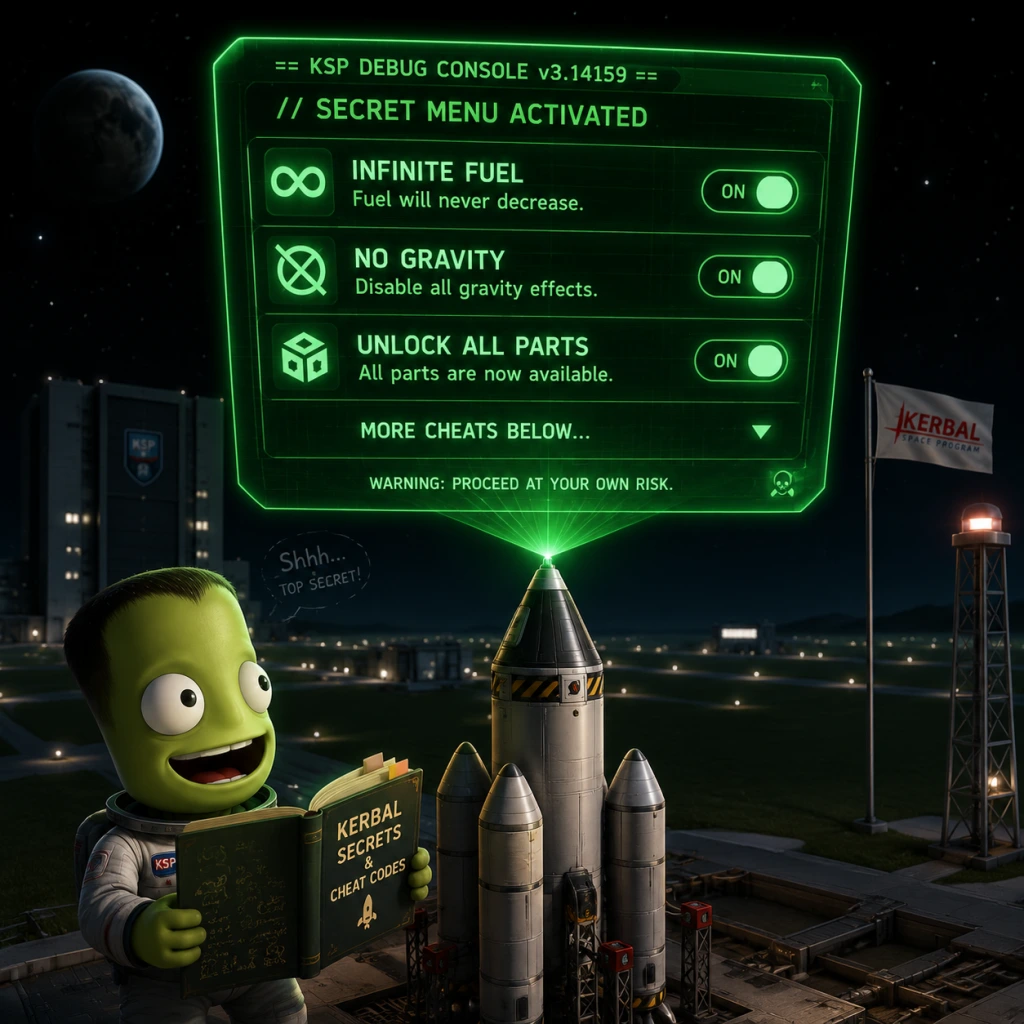
Press Alt+F12 (Windows/Linux) or Option+F12 (macOS) to open the Debug Console. This is the primary cheat interface. It contains multiple tabs with cheats categorized by function.
#### 1. Cheats Tab
| Cheat | Description | How to Use |
|---|---|---|
| Infinite Fuel | Prevents any fuel or resource consumption | Check the box |
| Infinite Propellant | Same as infinite fuel but also applies to RCS, monopropellant, etc. | Check the box |
| Infinite Electricity | Never run out of electric charge | Check the box |
| Infinite Comms | Always have perfect communication signal | Check the box |
| Unbreakable Joints | No parts can break due to stress or over-G | Check the box |
| Ignore Max Temperature | Parts never overheat | Check the box |
| Ignore G-Limits | Kerbals never suffer G-force effects | Check the box |
| Disable Vessel Crash Damage | No damage from collisions | Check the box |
| No Delta-V Limits | Override delta-v calculations (used in map view) | Check the box |
| Never Death | Kerbals cannot die | Check the box (under "Kerbal" section) |
- Set Position / Rotation: Instantly move the active vessel to any location (e.g., orbit, surface of a planet). Use the buttons to set exact coordinates or use the "Landing" presets.
- Set Orbit: Place the active vessel into a specific orbit around a celestial body (altitude, inclination, etc.).
- Set Target: Instantly target a specific celestial body.
- Time Warp Control: Increase or decrease time warp instantly to any rate.
- Set Time: Jump to any date/time.
- Hack Gravity: Set the local gravity multiplier (0 means no gravity, 1 is normal).
- Thermal: Adjust part temperatures or disable thermal system.
- Resource: Add or remove resources (fuel, ore, etc.) directly to the vessel.
- Set Params: Edit vessel stats like mass, thrust, etc.
- Autopilot: Enable autopilot for hold altitude, heading, etc. Not a full autopilot but useful.
- Massive Gizmo: Toggle to enable oversized translation/rotation gizmos for easier fine adjustments in the VAB/SPH.
- Show Input Lock: Debug UI for input devices.
- Show Vessel Labels: Display all vessels in the tracking station.
- Clear Input Locks: Fix stuck keys.
- FPS Counter: Display frames per second.
- Disable signal delay, etc.
- Hire All Kerbals: Instantly unlock all kerbals (even Jeb, Bill, Bob, Val).
- Resurrect Kerbals: Bring dead Kerbals back to life.
- Set Experience: Level up any kerbal instantly.
- Give All Skills: Unlock all pilot, engineer, scientist bonuses.
- Cheats are not saved; they reset each session unless you use mods like "Cheat Menu" or "HyperEdit".
- Using cheats can break achievements (if enabled) and may corrupt saves – always backup.
- The debug menu is fully developer-intended and not considered a mod.
- Location: On the Mun, near the equator, approximately 14° S, 138° W (coordinates may vary slightly).
- Appearance: A tall, green, rectangular structure reminiscent of 2001: A Space Odyssey.
- Effect: None directly, but it's a famous Easter egg. Kerbals can walk up to it and take pictures.
- How to Find: Use a Mun lander with a scanner or search online for precise coordinates. It's on the eastern edge of the Eastern Farside Crater.
- Location: On the Mun, at coordinates 0° N, 0° E (exactly at the prime meridian).
- Description: A small metal plaque with the text "Here men from the planet Earth first set foot upon the Moon, July 1969, A.D. We came in peace for all mankind." It's a replica of the Apollo 11 plaque.
- How to Find: Land precisely at the equator and 0° longitude. Use the surface scanner or orbital fine-tuning.
- Location: On Duna, in a specific canyon region. Coordinates approximately 63° S, 238° E.
- Description: A rock formation that resembles a face (like the Face on Mars). It's a natural formation but very recognizable.
- How to Find: Requires a surface rover and careful navigation. Best viewed from orbit.
- Location: Deep inside the Mohole (a deep hole on Moho). Coordinates approximately 60° S, 10° E.
- Description: At the bottom of the Mohole, there is a strange glowing object that resembles an eye. It's a reference to the mythical Kraken that destroys ships.
- How to Find: Land at the Mohole rim and descend carefully. Beware of steep slopes.
- Location: On Bop (a moon of Jool). It's a large, dark boulder that floats above the surface and rotates.
- Description: It looks like a potato-shaped asteroid but hovers. Touching it or entering its physics range can cause glitches.
- How to Find: Orbit Bop and look for a small moonlet. It's visible as a tiny dot. Approach with caution.
- Location: On the surface of Minmus, near the equator, at approximately 0° N, 0° E.
- Description: A small radio antenna emitting a slow-scan television (SSTV) signal. Decoding the signal reveals an image of the KSP logo.
- How to Find: Land at the equator and 0° longitude. Use a probe with a Communotron antenna to receive the signal (requires Kerbal Engineer Redux or a mod to decode).
- Location: On Eeloo, at coordinates 33° N, 138° E.
- Description: A small pyramid structure made of stone blocks. It's a reference to ancient Egyptian architecture.
- How to Find: Requires a lander or rover to reach. It's not easily visible from orbit; you'll need a surface scanner or careful mapping.
- There are several monoliths scattered across the Kerbol system: one on the Mun (the Green Monolith), one on Minmus (smaller and black), one on Duna (in a crater), and one on Vall (underwater). Each has a different appearance and effect (some make your ship spin or bounce).
- Effect: Some monoliths can cause strange physics behavior when touched. For example, the one on Vall creates a massive geyser of water.
- Location: At the KSC, inside the VAB (Vehicle Assembly Building) under the floor. Requires clipping through the ground using the "clipping" cheat or a Kerbal with no-clip (KAS mod).
- Description: A hidden room with pictures, models of classic rockets (like the Saturn V), and a portrait of the developers.
- Description: A common term for physics glitches that cause catastrophic explosions or extreme forces. There is no actual creature, but players refer to the "Kraken" when parts break unexpectedly. The developers intentionally left some physics quirks for fun.
- While the debug menu is open you can press Alt+F5 to create a named quicksave. This is faster than the normal F5 quicksave.
- In older versions, removing launch clamps in flight would cause them to fall and sometimes destroy the pad. Now they simply disappear.
- By using the "Hack Gravity" cheat set to 0 and then toggling infinite fuel, you can achieve infinite acceleration without fuel consumption. This is considered a cheat but is officially recognized as a feature of the debug menu.
- There are hidden structures on the Mun that resemble temples or arches. These were intended for a challenge but were never officially named. They exist in the game files as static models.
- As mentioned, you can decode the SSTV signal from Minmus using the mod "SSTV Decoder" or by manually converting audio. The image is a picture of the KSP logo with the text "This is our message."
- There is a hidden, small asteroid-like planet called "Planet 9" or "Krax". It is not officially in the stock game but was a placeholder in early versions. It no longer exists.
- Backup your save file before enabling any cheats, especially those that modify orbits or delete vessels.
- Use cheats for learning: Try infinite fuel to practice docking or landing without worrying about fuel.
- Combine cheats: For example, enable unbreakable joints and ignore max temperature to build massive ships without structural failure.
- Respect the physics: Even with cheats, glitches can occur. Save often.
- Multiplayer mods: Cheats do not carry over to modded multiplayer servers unless the server allows them.
#### 3. Part Tab
#### 4. Vessel Tab
#### 5. Input Tab
#### 6. Misc Tab
#### 7. Remote Tech (if using mod)
#### 8. Kerbal Tab
#### Important Notes:
Hidden Features & Easter Eggs
KSP is filled with intentional secrets placed by the developers. These are not cheats but rewards for exploration.
#### 1. The Green Monolith
#### 2. The Armstrong Memorial
#### 3. The Face on Duna
#### 4. The Kraken's Eye
#### 5. The Magic Boulder (Easter Egg on Bop)
#### 6. The SSTV Signal (Kerbal Space Program Official Easter Egg)
#### 7. The Pyramid on Eeloo
#### 8. The Monoliths (Multiple)
#### 9. The Kerbin Side Museum
#### 10. The Kraken (Physics Exploit)
Exploit-Safe Secrets
These are legitimate, developer-intended shortcuts or hidden mechanics that can be considered "secrets" but are not cheats.
#### 1. The "Alt+F12" Quick Save Trick
#### 2. The "Launch Clamps" Exploit (Patched but still fun)
#### 3. The "Zero-Point Energy" Glitch
#### 4. The "Moon Temple" (Unused Content)
#### 5. The "SSTV Signal" Decoding
#### 6. The "Kerbolar System" Hidden Planet
Tips for Using Cheats
Summary
KSP's debug menu provides a full suite of official cheats, while exploration rewards diligent players with Easter eggs scattered across the solar system. Whether you want to skip the grind or discover hidden lore, this guide covers everything from the Green Monolith to the debug console's infinite fuel. Use responsibly and have fun exploring the Kerbol system!